Agency shift scheduling: spreadsheets or software

A spreadsheet may work for an agency scheduling a small number of clinicians for one client. The decision to move comes down to whether rota changes, cover requests and compliance checks are becoming difficult to manage by hand. This article explains when to replace spreadsheets for agency shift scheduling and how a phased move can keep daily operations steady.
You’ll also learn what to consider when comparing rota tools, including compliance records and staff self-service, so you can choose an approach that suits your agency.
Key Takeaways
- Use configured overtime rules and a clear view of contracted hours to reduce manual rota checks.
- Move in phases, with one full pay period of parallel running to compare the new system with your existing rota process.
- Consider how compliance tracking and staff self-service could reduce routine follow-up for your co-ordinators.
- Keep a spreadsheet if your operation is small and simple; look at software when changes, cover and checks become harder to manage.
Why should I replace spreadsheets for HR and staff scheduling?
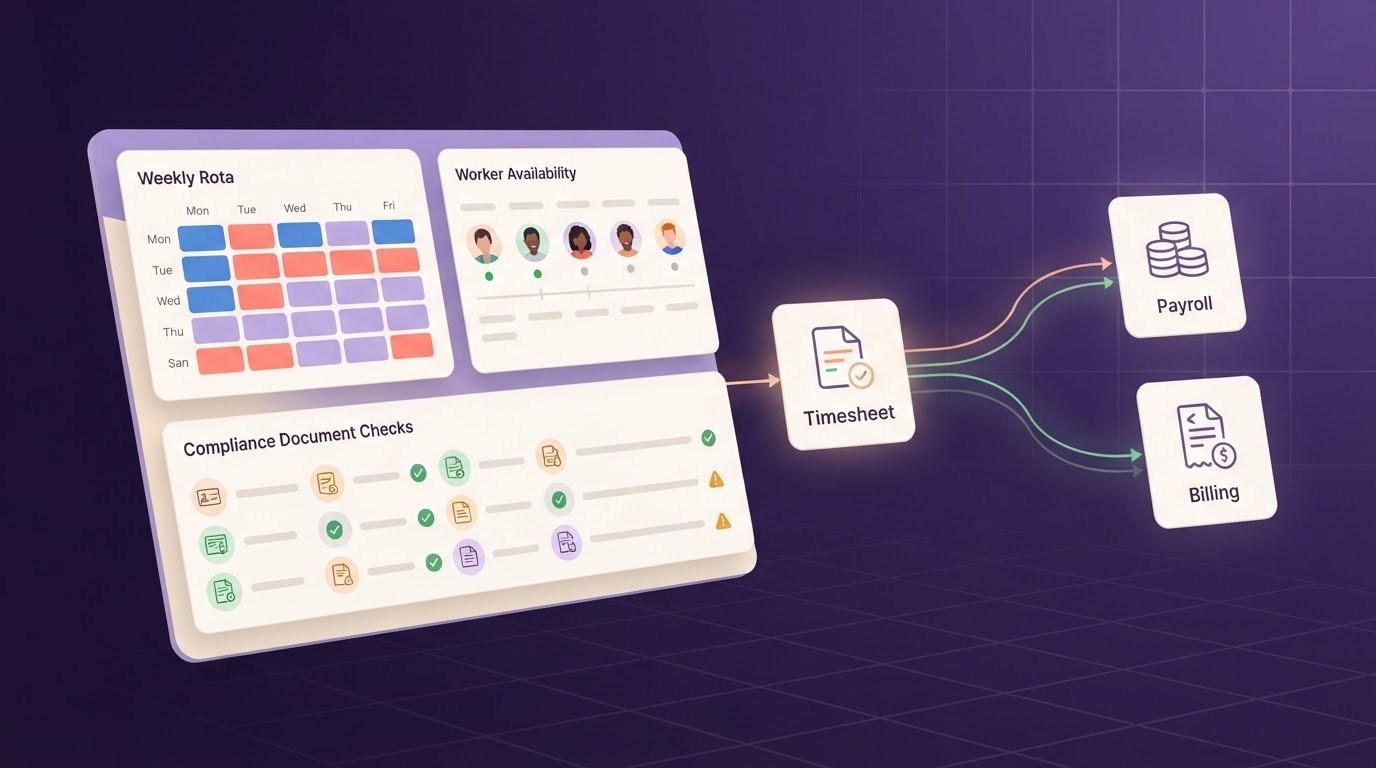
Spreadsheets can handle a simple rota, but workforce software brings shifts, hours and changes into a managed workflow. Scheduling systems may pass approved hours to timesheets or payroll through an integration or export. Connections with HR and applicant tracking depend on the systems and data-transfer options involved.
Overtime rules and contracted hours
Rota software can apply configured overtime rules and show leave and contracted hours in a shared view. This helps you check the details before approving a shift or arranging cover. With a spreadsheet, you may need separate tabs for contracted hours, overtime and leave, then review each record manually. Formulas can help, but only when they’re set up correctly and everyone uses the current version.
Worked hours and timesheets
A rota records planned shifts; a timesheet records the hours actually worked. A worker might clock in and out using a paper record or digital system, then submit the hours for approval. Keeping timesheets alongside the rota makes it easier to compare records and resolve differences before approved hours are exported for payroll. A spreadsheet alone won’t capture clock-in events.
Planned hours versus actual hours
Compare the published rota with the final hours record after each shift. If a shift changes from 16:00 to 17:00 after publication, record the change and retain a clear version history. Otherwise, a co-ordinator may compare the timesheet with an outdated document. A planned-versus-actual view helps identify changed start times, early finishes and other differences for review.
Hours and annual leave tracking
Track annual leave alongside contracted and worked hours instead of keeping it in an isolated file. A co-ordinator can then check whether a proposed shift conflicts with recorded leave before confirming cover. Separate spreadsheet tabs or files can fall out of sync when someone updates one record but not another. A shared, current view makes these checks easier.
| Option | Rota changes | Hours and records |
|---|---|---|
| Spreadsheet | Manual edits and version checks | Formulas and separate records |
| Workforce software | Changes held in a managed workflow | Rota and hours records can be compared |
| Separate timesheet or payroll tool | May need rota details transferred | Focuses on submitted or approved hours |
Choose based on how often you reconcile rota changes, worked hours, overtime and leave.
Phased migration from spreadsheets to scheduling software
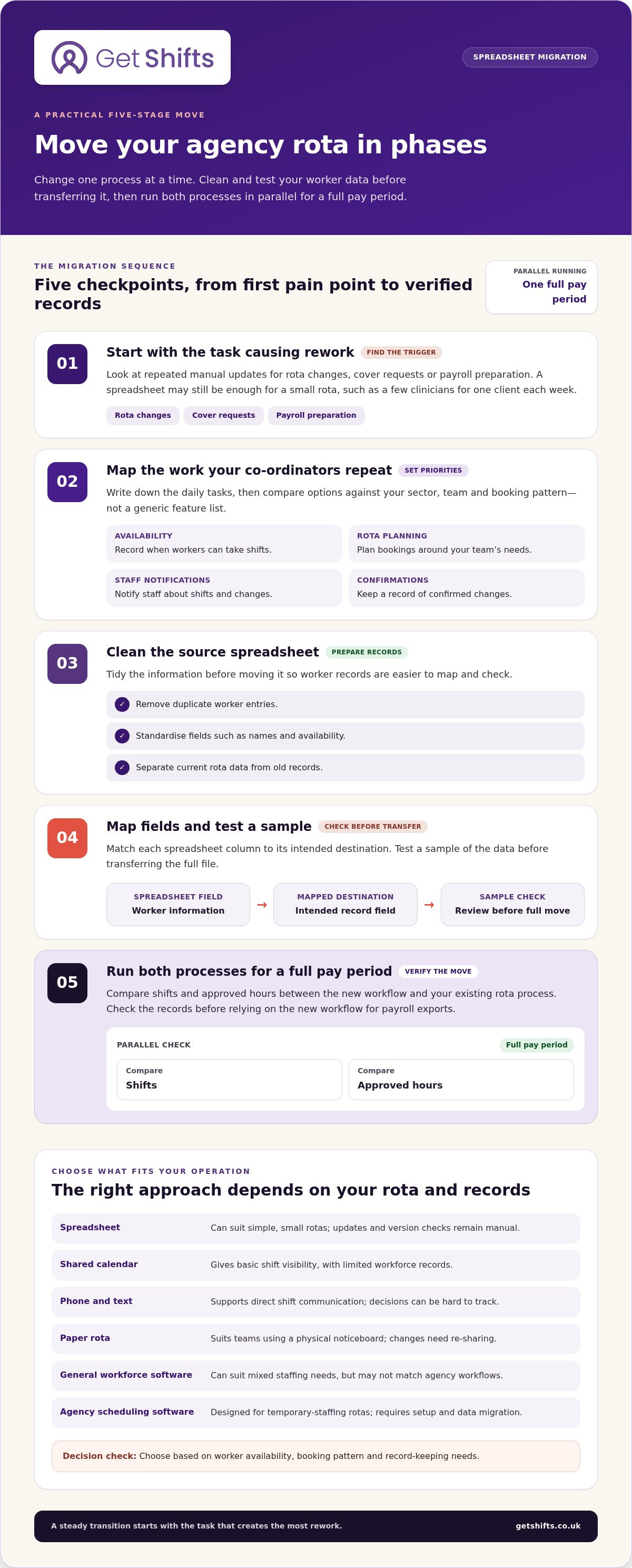
Compare options against your sector, team and daily rota tasks. A phased move lets you test staff scheduling without changing every process at once.
Timing the switch from spreadsheets
Consider switching when rota changes, cover requests or payroll preparation require repeated manual updates. For an agency scheduling a small number of clinicians for one client each week, Excel may be sufficient. Larger or more varied operations may benefit when an outdated sheet or a single formula creates extra checking. Start with the task that causes the most rework.
Implementation priorities and features
List the steps your co-ordinators repeat, such as recording availability, planning rotas, notifying staff and confirming changes. Then compare scheduling software against those tasks, rather than a generic feature list. Care, security, hospitality and logistics teams may need different booking workflows. A small team may prioritise clear availability and rota planning, while a larger workforce may also need reliable shift notifications.
Migrating rotas and worker data
Clean the source spreadsheet before moving records. Remove duplicate worker entries, standardise fields such as names and availability, and separate current rota data from old records. Map each column to its intended destination, then test a sample before transferring the full file. Run both processes for a full pay period, comparing shifts and approved hours before relying on the new workflow for payroll exports.
| Option | Best suited to | Trade-off |
|---|---|---|
| Spreadsheet | Simple, small rotas | Manual updates and version control |
| Shared calendar | Basic shift visibility | Limited workforce records |
| Phone and text | Direct shift communication | Decisions can be hard to track |
| Paper rota | Teams using a physical noticeboard | Changes need re-sharing |
| General workforce software | Mixed staffing needs | May not match agency workflows |
| Agency scheduling software | Temporary-staffing rotas | Requires setup and data migration |
Choose the option that fits your worker availability, booking pattern and record-keeping needs. You can compare shift management software against those priorities.
Compliance automation and worker self-service
Compliance tools can bring worker records and rota decisions into a shared process. Their value depends on which checks your agency needs to manage and how staff keep their information up to date.
Reports and compliance
A compliance report helps a co-ordinator review records relevant to a booking. For example, check the required worker documents before confirming a care shift, then record the outcome using your agency’s process. In a basic spreadsheet, details may be scattered across tabs and require a manual review.
Spreadsheet capacity is about more than row limits. As client sites, shift patterns and handovers multiply, formulas and duplicated tabs become harder to maintain. If you use an Excel template, complete its fields consistently: use one format for worker names, client sites, availability and document dates. Remove sample entries before using it for live records.
Agencies covering round-the-clock operations should assess how a system supports handovers between co-ordinators. Ask whether the incoming team can understand current bookings, outstanding checks and open shifts without piecing together separate files. Reports should make those details easier to review, not add another record that needs manual reconciliation.
Working time, rest breaks and right-to-work checks are relevant to agency processes. Keep these checks distinct in your records and use current UK guidance when setting procedures. A report can organise information for review, but it cannot establish by itself that every process has been completed correctly.
Mobile apps and self-service availability
Some workforce platforms provide mobile apps where workers can view shift details or update their availability. This differs from emailing a spreadsheet: co-ordinators don’t need to gather each reply and manually amend a shared file. For example, a worker can mark a date unavailable, and the agency can take that update into account before offering cover.
Compare platforms by the worker actions they support, such as viewing rota information and recording availability. Check how they handle changed preferences, so co-ordinators can distinguish a current update from an old message. For teams coordinating shifts across client sites, a shared view can make availability easier to factor into booking decisions.
When to replace a shift-scheduling spreadsheet
Excel can remain practical when one co-ordinator manages a consistent rota for a small staffing operation. The decision may change as client requirements vary. One care home, for example, may request different roles, qualifications or start times from another site. If the workbook can’t show those differences clearly, consider whether another process would give your team a more dependable view.
Look beyond visible errors. Ask how co-ordinators find the right person for a particular shift and whether they can see why a booking was made. If matching relies on personal knowledge or private notes, another team member may struggle to cover an absence. Dependence on one person’s memory is a useful warning sign, even when the spreadsheet looks tidy.
Also consider how your agency handles changing demand. Coverage-based planning starts by working out how many people are needed and when, then assigning workers to shifts. If meeting that coverage means repeatedly rebuilding spreadsheets, compare the effort with a process that presents staffing requirements and availability together.
- Keep Excel when the rota is predictable and another co-ordinator can understand its layout.
- Review your process when client-specific needs are hard to distinguish or explain.
- Consider a change when matching workers to demand relies on memory or repeated workarounds.
Before deciding, review a typical week with the people who build and cover the rota. Ask them to trace a client request from staffing need to confirmed booking, noting where they rely on informal knowledge. If each step is clear and repeatable, the spreadsheet may still fit. If the process is hard to hand over or explain, that’s a stronger reason to assess other options than team size alone.
Get Shifts: Get Shifts workforce management platform
Get Shifts provides workforce management software for temporary staffing agencies. Its Shift Booking & Rota Management tools bring client bookings and worker shifts into one workflow, while Open Shift Broadcasting & Automatic Matching helps manage unfilled shifts.
It may suit your agency when shared spreadsheets and manual updates no longer give co-ordinators a clear view of bookings and cover. If Excel still handles a straightforward rota, there’s no need to change just for the sake of it. When you’re ready to explore a software-based approach, book a demo with Get Shifts.
Choose the next step that fits your rota
The right time to replace spreadsheets for agency shift scheduling depends on where your current process creates repeat work. Before changing systems, choose one rota task to improve, such as reviewing a client booking or keeping shift information consistent. This gives you a practical starting point and a clear way to judge whether a different approach suits your team.
Get Shifts provides Staffing Agency Management Software, including Shift Booking & Rota Management. If you’re considering a move, bring your current workflow and priorities to the conversation. You can contact Get Shifts to discuss scheduling and explore a sensible next step for your agency.
Frequently Asked Questions
When is the right time to move away from spreadsheets?
A practical trigger to replace spreadsheets for agency shift scheduling is not knowing who owns the latest rota. Track how often co-ordinators resolve conflicting updates or repeat booking checks. If these issues recur during ordinary rota cycles, define the steps a new system must improve before comparing options.
But is Excel good for scheduling?
Yes. Excel can suit a small agency with a straightforward rota and one person maintaining the master file. A co-ordinator, for example, might use one workbook to plan regular shifts for one client. It becomes harder to manage when several people edit copies or changes need to be updated in multiple places. The right fit depends on your workflow’s complexity.
Can I bring my existing rota across, or do I start again from scratch?
Existing worker data can provide a starting point when the new system supports imports. Get Shifts offers staff data import and guided setup. Before transferring records, remove duplicate entries and agree which fields matter for future bookings. Keep historical rota files for reference, but don’t use an old version as the source for upcoming shifts.
How does rota management software improve scheduling accuracy?
A workforce system can keep rota information and recorded changes together, making updates easier to review. Get Shifts includes an audit trail for changes, approvals and clock-ins. If a client queries a booking, for example, your co-ordinator can review the recorded activity rather than rely on an old email or overwritten spreadsheet cell. Clear processes still matter for accurate records.
How does scheduling connect to credentialing and deployment readiness?
Worker document records can be considered during booking, helping your team review readiness before confirming a shift. Get Shifts tracks document expiry and applies booking rules. In Care and Security, booking rules are on by default; in other sectors, they’re off by default. These tools support your checks but don’t replace your agency’s own compliance processes or judgement.
Is replacing spreadsheets expensive or disruptive?
The cost and disruption of a move depend on the system, the data to transfer and the processes you choose to change. If you decide to replace spreadsheets for agency shift scheduling, map your current booking workflow first, then prioritise the records and tasks to migrate. A staged approach helps your team learn the new process while keeping the existing rota available during the transition.