Care Agency Rota Management Software for Homecare Teams

Care rotas can be challenging when group visits, repeat shifts and rounds must fit around staff availability, leave and contracted hours. Care agency shift management software brings rota planning into one place, helping you organise cover and spot the impact of changes.
Care visits do not all follow the same pattern. Group visits may require several staff members, while repeat shifts and rounds need plans that can adapt when availability changes.
This article explains how rostering software can support these tasks, from setting up repeat patterns to tracking availability, leave and contracted hours. Use these practical considerations to assess what could make day-to-day rota management easier.
Key Takeaways
- Plan group visits, recurring shifts and rounds with a clear view of care staffing needs.
- Adapt rota planning to the different demands of domiciliary care, supported living and care homes.
- Keep availability, leave and contracted hours in view when arranging cover.
- Check rota changes before sharing them with staff.
What is care rostering software and its agency benefits?
Care rostering software organises staff, shifts and client locations in one digital platform. For UK agencies, a suitable system should reflect how you plan cover, record changes and share accurate rota information.
Shift rostering and rota planning
Rota planning means matching staff availability and relevant skills to each shift. A domiciliary visit, for example, may require a different staffing arrangement from a care-home shift. Compare how a platform lets you create shifts, handle cancellations and share updated rotas, including through mobile access. Choose a system that fits your booking process and makes changes easy to follow.
When comparing cloud-based platforms, consider ease of use, access controls, record keeping and how rota changes are shared. Care agency shift management software should support these everyday tasks without adding friction to routine planning.
Staffing levels and skills gaps
Care-home staffing needs depend on the people receiving care, the work required and the skills available on each shift. A rota can help managers spot uncovered shifts or mismatches between required skills and assigned staff. Review cover shift by shift, then identify gaps early enough to consider suitable alternatives.
Software can record hours and rota patterns, but it does not determine whether working-time, rest-break or minimum-wage rules are met. Use accurate records to support oversight, then assess working arrangements against current UK guidance.
Integrated staffing and home care
A shared platform can bring staffing and domiciliary-care bookings into one view, reducing the need to copy shift details between separate records. Check that the system supports your care settings and the handover of booking information. Payroll, HR and care-planning workflows differ, so establish how information is shared. For example, distinguish a data export for manual import from a direct software integration.
Useful features include shift creation, repeat patterns, clear rota updates and mobile access. These support staffing coordination, while care planning remains a separate operational need.
Training, inspection and scheduling records
Digital records can show who was assigned to a shift, when rota changes were made and what information staff received. Keep training records alongside relevant staff details so managers can review skills when arranging cover. Clear records can also help you prepare information for an inspection.
CQC guidance is relevant to care providers’ records and safe staffing. Digital scheduling tools should support accurate records, but they don’t define every regulatory duty. Review current CQC guidance and assess whether your records show how staffing decisions were made.
Rotas for domiciliary care, supported living and care homes
Rota requirements vary by care setting. Domiciliary care focuses on visits and travel between people’s homes, while supported living and care homes typically organise cover around a service location and its shifts. A useful process reflects these differences instead of forcing every booking into the same pattern.
For a domiciliary visit, start with the agreed time, location and required support. Match a suitable worker, then review the route and nearby visits before confirming the rota. If a worker cancels, identify affected visits first, then update assignments and communicate each change. Care plans inform the support required, but the rota should remain distinct from care planning.
Supported living may involve shifts across a shared service, while a care home may request cover for a particular unit or shift. Record booking details consistently, including location, hours and relevant skills. A staffing grid or map view can help coordinators spot clashes between assignments and locations. Before confirming workers, check that each booking has suitable cover.
Reablement teams may need to organise visits around changing support needs and staff capacity. Keep the workforce view current, then compare requested visits with available workers and relevant skills. If capacity falls short, flag the uncovered work promptly and decide which booking needs attention first. This makes rota decisions visible without assuming every visit can be moved.
Clear shift records can also help teams trace which bookings were covered when reviewing invoices. Keep the client booking, assigned worker and any rota adjustment connected in the same process. For agencies handling different care settings, shift management software can bring bookings and rota changes into a shared workflow. Choose a solution that fits the way your clients request visits and shifts.
Tracking availability, leave and contracted hours
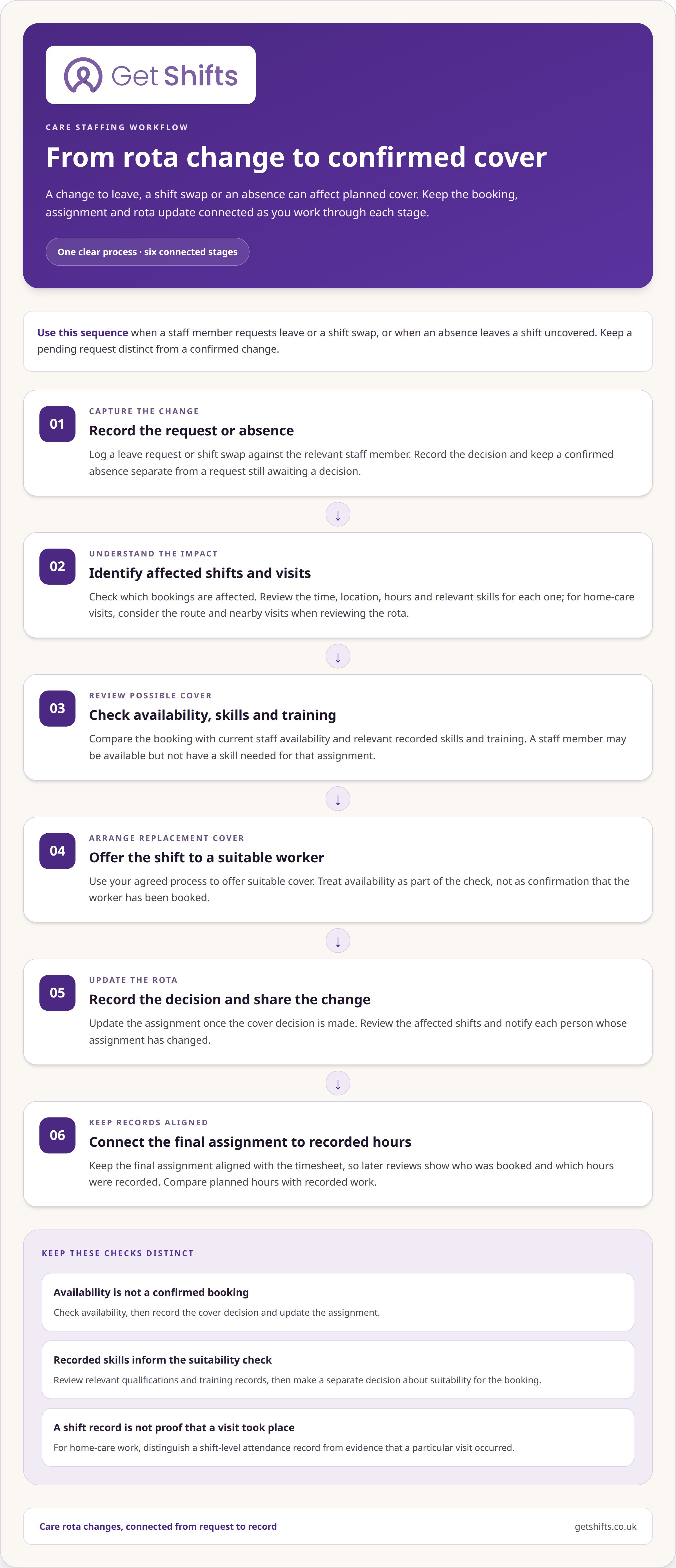
Care agencies need current availability to plan staffing without relying on old messages or scattered notes. Ask staff to share their availability and request shifts through your agreed process. Keep changes linked to the relevant worker so coordinators can distinguish a confirmed absence from a request awaiting a decision.
For home care and supported living, compare availability with the booking, required skills and recorded training. A carer may be free for a shift but lack a skill needed for that assignment. Review qualifications and training records in staff profiles, then resolve any gaps before confirming cover. Keep recorded information distinct from a manager’s decision about suitability.
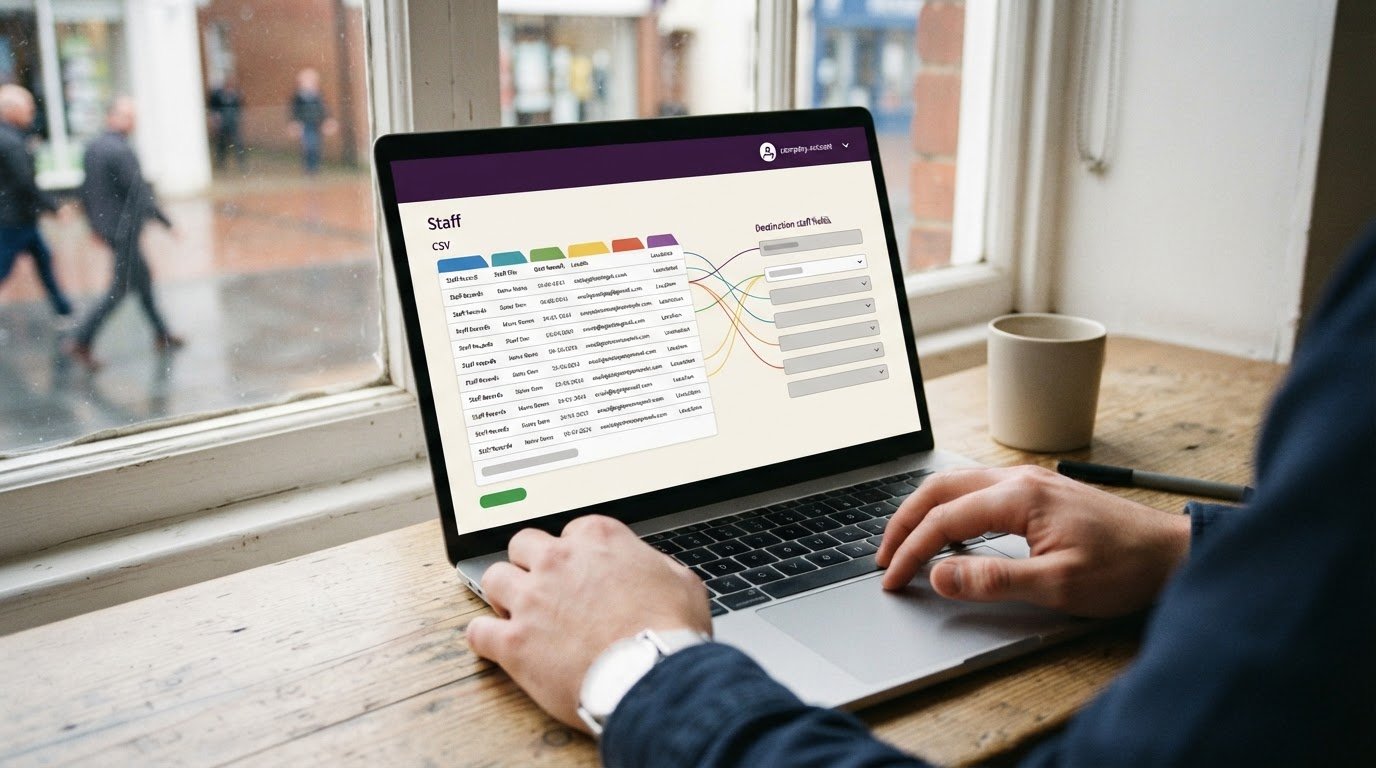
Track contracted hours alongside assigned shifts and timesheets. This helps coordinators compare planned hours with recorded work, spot possible clashes and see when a worker’s capacity may be changing. When a staff member requests leave or a shift swap, record the request, decision and rota update. Then review affected shifts and notify anyone whose assignment has changed.
Record attendance using your agreed process. For home-care visits, distinguish a shift-level record from evidence that a particular visit took place. Review the visit record and timesheet workflow before treating an attendance record as proof of a missed visit.
When an absence leaves a shift uncovered, identify the affected booking, check eligible workers’ availability and skills, then offer suitable cover. Keep the final assignment aligned with the timesheet, so later reviews show who was booked and which hours were recorded. This gives coordinators a clearer view of leave, cover and contracted hours without treating availability as confirmation of a booking.
Planning rotas and reviewing recurring work
When planning rota changes, review the revised cover and check that each shift is assigned correctly. Regular work may reduce repeated setup, but every rota still needs checking when staff or bookings change.
Reviewing rota changes
A rota grid can help coordinators review shifts by worker, client or location. Before confirming a change, check the shift time, booking and worker’s suitability. For example, changing a care-home shift should not leave its original slot uncovered. Check whether the rostering view makes gaps and clashes easy to spot and keeps changes clear for everyone affected.
Planning recurring work
Recurring work may include predictable bookings, such as a regular weekly shift or recurring care-home cover. Plan around the agreed days, times and assignments, then review each new rota before sharing it. Treat past arrangements as a starting point, not proof that availability or client requirements have stayed the same. Check each booking against the information available before confirming the rota.
For domiciliary care, recurring work may represent regular visits, but each rota still needs to reflect current bookings. If a worker becomes unavailable, adjust the affected assignment and review the remaining cover. Keep medication details and care-plan instructions in the appropriate care records; the staffing rota should show who is assigned and when.
When comparing rostering software, test how a coordinator handles a new booking, a cancellation and a shift swap. Check how a change is recorded and how staff are informed. Consider data handover too: payroll processes may use timesheet or earnings information, so distinguish an export for manual import from a direct integration.
The practical test is simple: build a typical rota, plan recurring work, then change one assignment and review the result. Explore shift management software to see how rota planning can support your workflow.
Get Shifts: Staffing Agency Management Software
Get Shifts provides staffing agency management software for agencies coordinating care bookings and worker rotas. Keeping booking details, worker availability and rota changes clear can be difficult when information sits across spreadsheets, calls and messages. Agencies need a reliable way to keep track of what has been agreed and what still needs attention.
Before choosing software, consider how your agency currently records bookings, shares rota changes and handles open shifts. Clear processes can help you spot gaps and keep information aligned across your team. If you’d like to discuss your agency’s rota process, contact Get Shifts.
Make your next rota easier to manage
Start by identifying where your rota is hardest to maintain. You might focus on recurring bookings, last-minute cover or keeping changes clear for staff and clients. A focused review helps you decide what your team needs from care agency shift management software without trying to change every process at once.
Next, consider how a new workflow would fit the way your agency handles bookings, rota updates and staff communication. Focus on situations coordinators manage every day, such as a change to a regular assignment or an open shift that needs cover. This keeps the discussion grounded in your actual work.
If you’re ready to explore a suitable next step, discuss your rota with Get Shifts. A clearer process can start with one practical conversation.
Frequently Asked Questions
Can I manage group visits, recurring shifts and rounds easily?
Yes, if you define the staffing needs for each booking before building the rota. For a group visit, record which workers need to attend together; for a round, keep each visit identifiable. Repeat patterns can provide a starting point for regular work. Review changes to client bookings before reusing a pattern, so an outdated assignment does not carry forward by mistake.
How do care scheduling systems handle staff availability, rotas and shift swaps?
They bring availability and rota information together so coordinators can assess proposed cover. Treat a worker’s availability as an indication, not a confirmed booking. For a swap, record who requested it, who will take the shift and whether the change is approved. Then update the rota and notify affected staff. Check the final timesheet against the confirmed assignment, especially if the original worker has already started.
How can care agencies choose and implement shift management software?
Start by listing the rota tasks that require the most coordination, such as repeat bookings, last-minute cover or client changes. Test a realistic example from booking through to rota update, rather than judging screens in isolation. Plan how staff records will be imported, who will maintain them and how coordinators will learn the process. Keep the initial rollout focused on an agreed workflow.
What are the data protection and cybersecurity risks of care agency scheduling software?
Risks include unauthorised access to staff or client records, exposed documents and accounts with excessive permissions. Review the provider’s security information and the ICO’s current guidance when assessing data protection. Agencies still need sensible access management and careful account handling.