Client Timesheet Sign-Off Software for Agencies and Freelancers
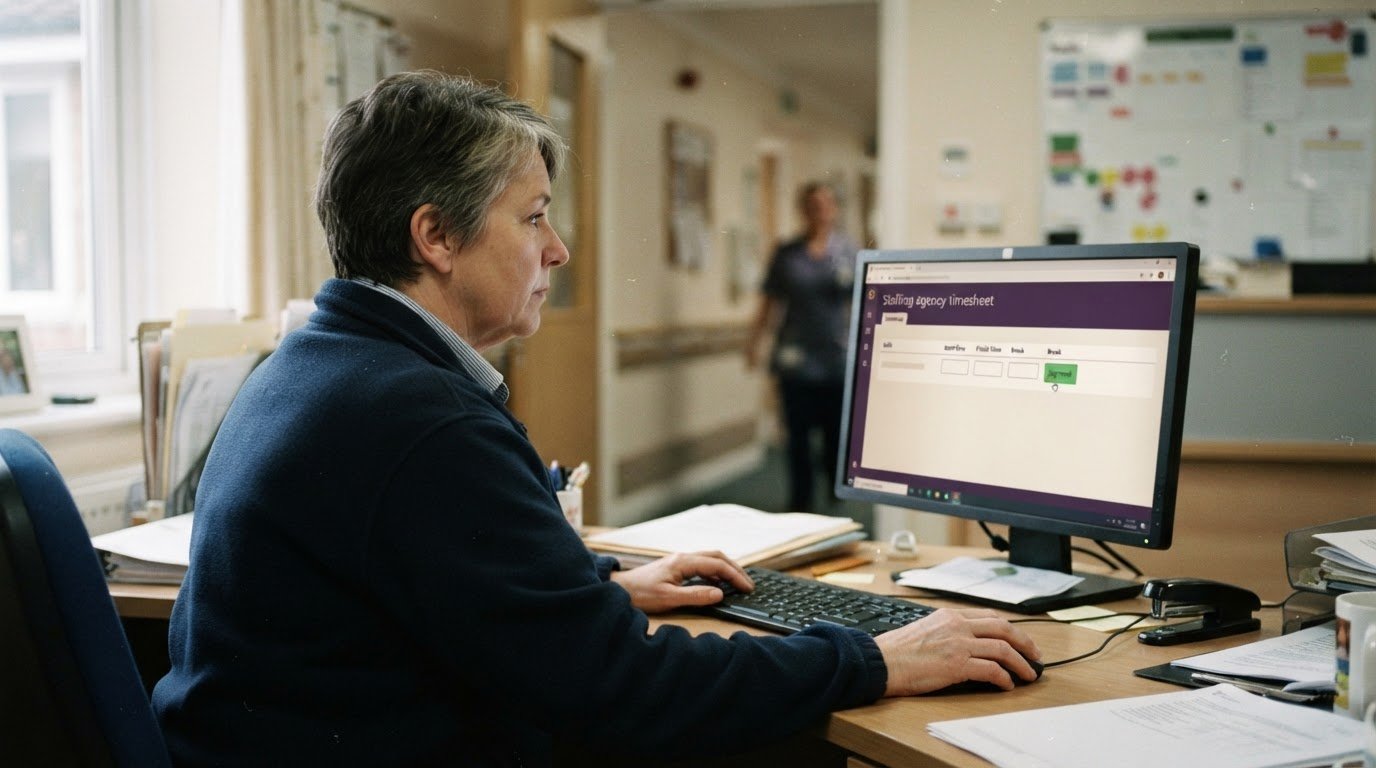
A shift may be covered, yet invoicing and payroll preparation can still stall while its timesheet awaits approval. Client timesheet sign off software gives care homes and hospitals a digital way to review agency hours, helping agencies move approved timesheets into billing and payroll workflows.
Whether you coordinate agency staff across care settings, manage freelance work or record hours for a field team, clear records show what has been submitted, what still needs client sign-off and which hours are ready for the next step. They also reduce reliance on paper forms, messages and duplicate timesheet versions.
Learn how client approvals work, what to consider when choosing software and how signed-off hours support invoicing and payroll exports. This guide also explains how the process works for agencies and for the care homes, nursing homes and hospitals that book their staff.
Key Takeaways
- Set a clear submission and client approval process so outstanding timesheets are easier to follow up.
- Use approved hours to support accurate invoice preparation and payroll exports, with expenses recorded separately where needed.
- Choose a workflow that fits how freelancers, agency staff and field teams record and submit their hours.
- For staffing agencies, Get Shifts brings shift booking and rota management together with digital timesheets and client sign-off.
Who are Timesheet Approvals for?
Timesheet approvals give workers, agencies and clients a defined route to review recorded hours. A useful workflow identifies who submits each record, who can approve it and how queries are handled.
Worker Timesheet Submission
A worker submits hours against a shift, project or work period. For weekly submissions, specify the dates covered and the details required, such as start and finish times, breaks and a booking reference. A clear status, such as submitted or returned, shows what action is needed next.
Automated reminders can prompt workers to submit missing entries. Set permissions so workers can enter their own hours, and route amendments through a separate review.
Manager Review and Sign-off
A manager reviews the submission, approves it or returns it with a reason. Some organisations add another approval stage, such as review by a project or cost centre manager. Assign access according to each person’s role.
UK record-keeping depends on the purpose. For example, employers must keep records to demonstrate minimum wage compliance; gov.uk guidance on minimum wage records explains this area. An electronic approval records a review decision, but should not replace other records required for a specific obligation.
Client Online Approval
Clients can review hours online through timesheet software with a client-facing portal and mobile access. Approval workflows typically let an authorised reviewer approve an entry or return it for correction. Check what “sign-off” means in the system: recording approval and capturing an electronic signature are not necessarily the same function.
To set up the workflow, identify who submits each timesheet, assign the client approver and decide how queried entries return for review. UK GDPR data protection can be supported with role-based permissions, access logs and controls for handling personal data. Pricing models and included functions vary, so compare how charges are calculated rather than assuming a standard UK price.
What are the advantages of timesheet software?
Compare how each tool records billable hours, expenses, attendance, overtime and approvals. For agency teams, check that each shift, client and submitted timesheet can be clearly linked to the records used for invoicing or payroll preparation.
Billable Hours and Expenses
Task- and project-based tracking separates time by the work performed. A worker might record care cover against a client shift, while a freelancer logs hours against a project task. This distinction helps reviewers identify billable hours before an invoice is prepared.
Check whether expenses can be entered alongside time records or need a separate process. Keep expense categories distinct from hours, then review both before submitting records for approval. This makes it easier to spot a missing project reference or an expense awaiting review without treating it as working time.
For payroll preparation, compare how the system groups submitted hours by worker and pay period. Clear categories help managers identify the right records for payroll exports while keeping billable client hours available for invoicing.
Overtime and Attendance Tracking
Overtime tracking separates ordinary hours from additional hours for review. Decide how your organisation labels each category, then check whether managers can see the distinction on every timesheet. The software records information; your existing pay rules determine how those hours are handled.
Attendance tracking can bring a planned shift and a recorded arrival into the same review process. For field work, GPS or geofenced time recording can associate a clock-in with a work location. Consider whether location-based recording suits the work and how staff can submit a correction if a record needs attention.
When comparing tools, check whether managers can monitor attendance, identify a missed clock-in and review changes to submitted hours. These records help explain activity across team members and give a clearer view of productivity, without treating recorded time alone as a measure of work quality.
Approval workflows clarify who must review each record. UK Government guidance says all timesheet rows require line-manager approval, and some also require authorisation by a project manager and/or cost centre manager. Showing these stages makes it easier to see where a submission is waiting and who needs to act, from recorded hours through to approval.
Payroll preparation and invoice generation
Delayed or disputed client approvals can hold up invoice preparation and leave payroll records incomplete. A clear status for each timesheet helps you identify the affected hours, follow up on requests and keep billing on track.
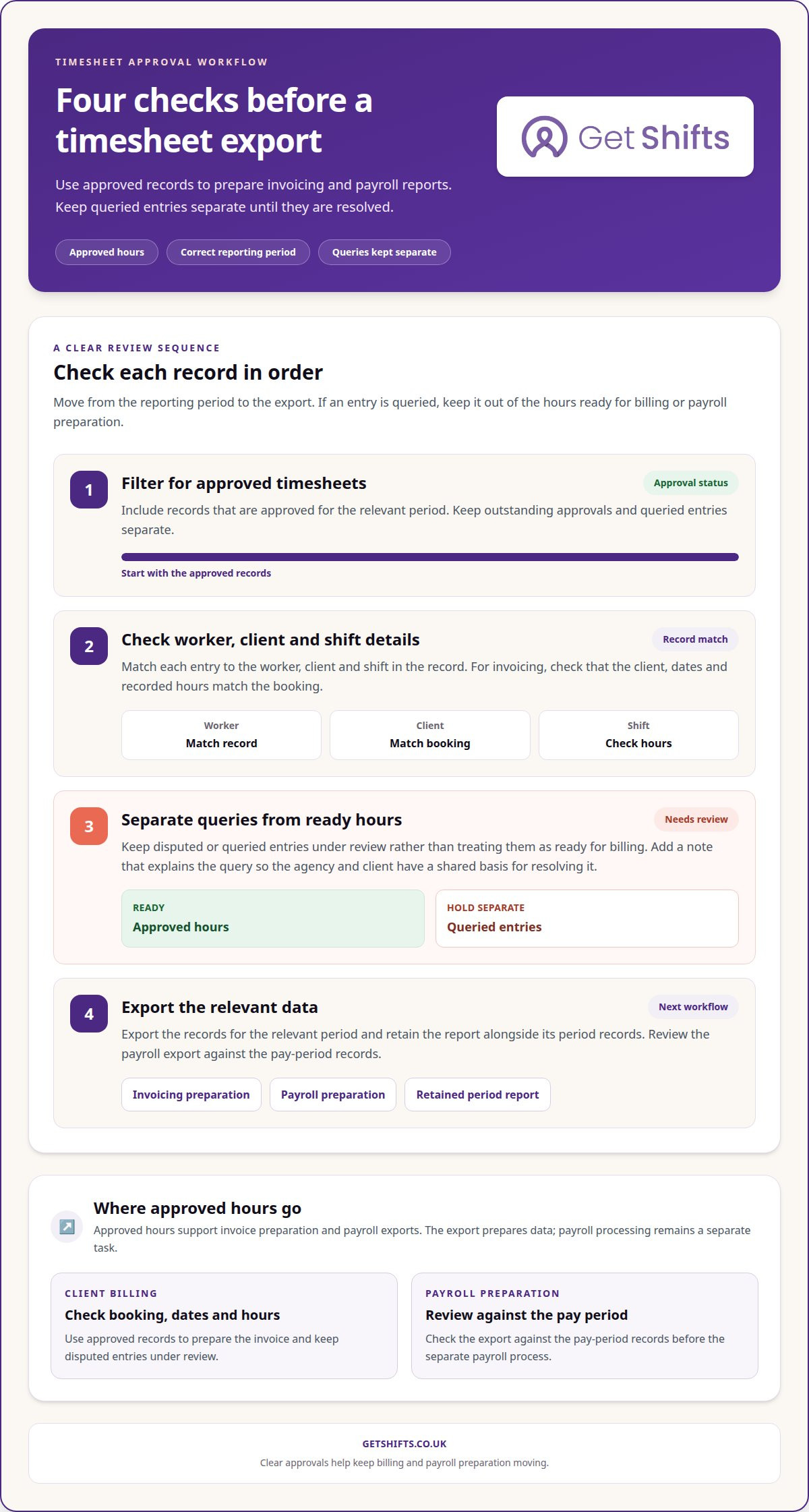
Start with the approved record. Match each entry to the worker, client, shift and relevant pay period, then separate approved hours from queries. If a client disputes a shift’s finish time, for example, keep the entry under review rather than treating it as ready for billing. A note explaining the query gives the agency and client a shared basis for resolving it.
Once hours are approved, use consistent categories to prepare reports for invoicing and payroll. Before generating an invoice, check that the client, dates and recorded hours match the booking. Then review the payroll export against the pay period records. Software can prepare and export data, but payroll processing remains a separate task.
Keep billing and payroll calendars in view. If client billing cycles and payroll periods do not align, approved hours may need to be sorted into separate reporting periods. Clear records show which hours belong in each report and which approvals remain outstanding. For grant reporting, retain the relevant time records and categories, then export the data required for review.
Before an export, use a short review sequence:
- Filter for approved timesheets in the correct period.
- Check worker, client and shift details against the record.
- Separate queried entries from hours ready for billing or payroll preparation.
- Export the relevant data and retain the report alongside its period records.
Consistent amendment records also help explain later changes. If an approved entry needs correcting, record the reason and distinguish the revised hours from the earlier record. This creates a clearer audit trail for managers reviewing billing questions, payroll figures or grant reports.
Time theft and buddy punching can cost a business up to 7% of gross payroll each year. A reported payroll saving followed implementation at a site with 200 employees.
Clear approval and amendment records support careful review before payroll preparation. Keeping queried entries separate from approved hours also helps managers focus on the records that still need attention.
Timesheet software for freelancers, agencies and field teams
Freelancers, staffing agencies and field teams record time differently, but each needs entries that reflect the work completed. A freelancer may log project tasks, an agency may record a client care shift, and a field team may capture hours across locations. A useful workflow links every entry to its purpose and reviewer.
For freelancers, separate billable project hours from non-billable administration. A designer, for example, could record client work and internal revisions under distinct task labels. This makes invoices easier to review and clarifies how recorded time relates to each project. Keep expenses separate from hours so the invoice reflects the right items.
Agencies need to link worker entries to client bookings and approval stages. A nurse’s recorded shift hours, for example, should be distinguishable from another booking, even if both fall in the same pay period. Clear records help coordinators handle queries and prepare invoices without copying information manually between spreadsheets.
Field teams benefit from recording time close to the work. A mobile entry can record a site visit, while location-based clock-in can associate attendance with a job location. Consider how staff can correct an entry if the actual finish time differs from the planned shift. Keep any overtime category visible for review instead of merging it with ordinary hours.
Before choosing a workflow, map the path from entry to reporting:
- Identify who records hours and which task, client or location each entry needs.
- Set how managers review changes, overtime and disputed time.
- Decide which approved records feed invoicing, payroll preparation or project reports.
- Retain a clear record of amendments so later reviews can follow the change.
These steps help you choose tracking software around the work your organisation actually does, rather than forcing freelancers, agency staff and field workers into the same manual process.
Get Shifts: Staffing Agency Management Software
Get Shifts provides staffing agency management software for agencies coordinating client bookings, rotas and timesheet sign-off. Shift booking and rota management bring scheduling together with records that help your team follow a shift from booking through client approval.
Staff profile documents give clients access to relevant worker information, while timesheet amendment history records a mandatory reason for each change. This helps coordinators trace an amended entry when a client queries hours before billing. Get Shifts supports payroll preparation with worker earnings and payroll exports; it does not process payroll.
If approval follow-up, rota administration and timesheet changes are creating extra manual work, explore whether a connected agency workflow fits your operation. Contact Get Shifts to discuss your staffing agency’s requirements.
Build a workflow that fits your agency
In your next process review, map what happens after a shift is booked. Note who submits hours, who approves them and how approved records move into billing and payroll preparation. This gives you a practical way to assess whether client timesheet sign-off software fits your agency’s workload and client arrangements.
For agencies managing bookings, rotas and timesheets, Get Shifts brings these workflows together through Staffing Agency Management Software. Shift Booking & Rota Management supports planning, while Open Shift Broadcasting to Eligible Workers lets agencies offer available shifts to eligible workers. Consider how these processes fit your team’s current workflow, rather than changing everything at once.
When you’re ready to discuss your agency’s workflow, contact Get Shifts. A clear starting point can help you decide what to streamline first.
Frequently Asked Questions
What is client timesheet sign-off software?
Client timesheet sign-off software lets clients review and approve recorded hours online. For a staffing agency, it can link a booked shift to its timesheet so the care home or hospital can confirm the hours relate to completed work. Get Shifts provides digital timesheets with client sign-off through its client portal, where authorised client users can review agency records.
Can client-approved timesheets integrate with payroll, invoicing and accounting software?
Approved timesheets can provide data for invoicing and payroll preparation, but not every system connects directly to accounting or payroll packages. Get Shifts generates client invoices and payroll data exports. Agencies can export data in CSV or Excel format for manual import into their chosen systems. This transfers approved records, but does not provide a live connection or automated synchronisation with accounting software.