How to Manage Multiple Staffing Agency Clients with One CRM

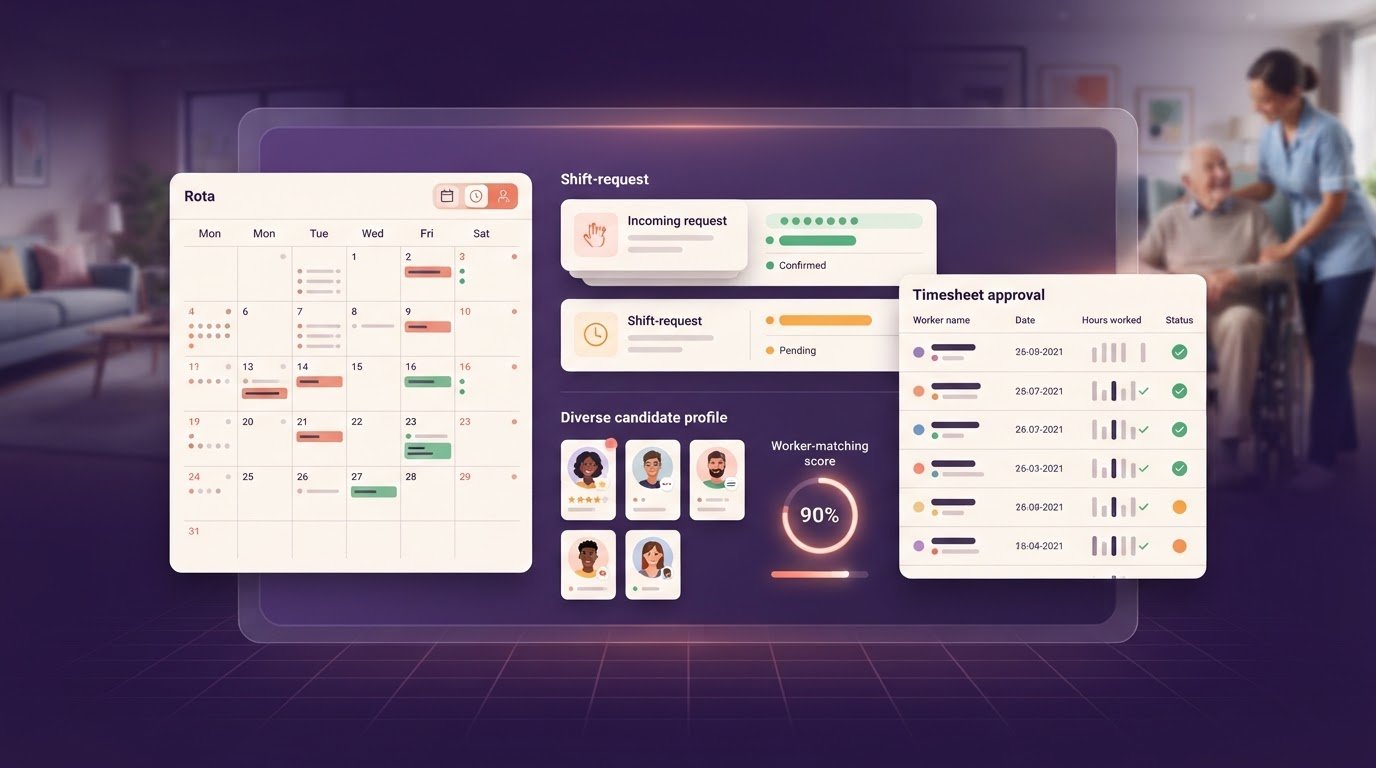
A single platform can connect client records, bookings, placements and timesheets without mixing one account’s work with another’s. To manage multiple staffing agency clients, organise records by client and use a consistent process to track each shift from booking through timesheet approval and invoicing.
When you fill rotas for several care homes or other clients, details can quickly become scattered across emails, spreadsheets and messages. A consistent way to record decisions and follow up makes day-to-day work easier to manage.
This guide covers how to organise client communication, monitor placements and manage timesheet sign-off, invoicing and payroll exports across accounts. It also explains how to set up practical workflows, spot gaps early and keep each client’s requirements clear, so routine administration doesn’t distract from supporting workers and clients.
Key Takeaways
- Record each client’s shift requirements, contacts and changes in one place to keep communication clear.
- Track a placement from booking through timesheet sign-off, then use approved hours to support payroll exports and invoicing.
- Review placements and jobs filled by account to see where work is progressing and where follow-up may help.
- Prioritise client accounts by their needs and allocate recruiters according to their experience and relevant connections.
1. Management and communication challenges across agencies
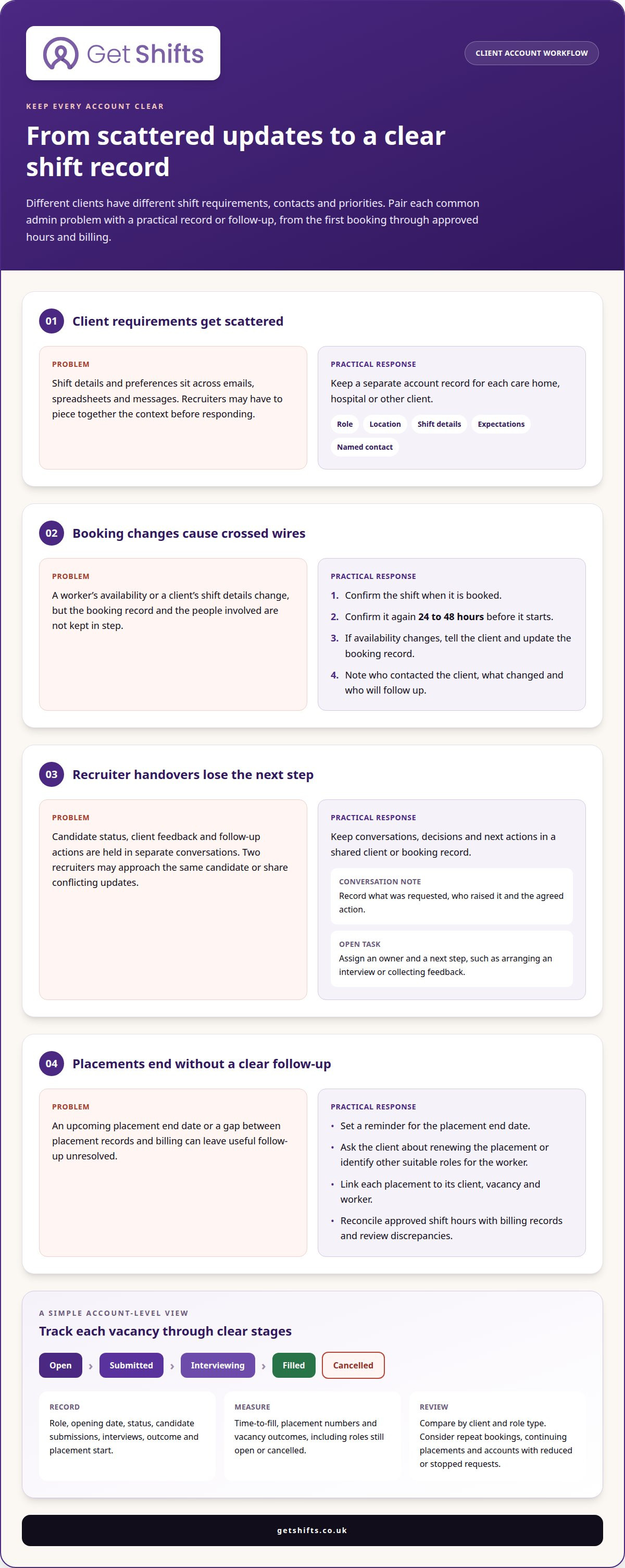
Clients have different shift requirements, contacts and priorities. A care home might need urgent nursing cover, while a hospitality client needs clear event start times. Record the role, location, shift details, expectations and named contact against each booking. This gives recruiters and workers a shared reference during recruitment and onboarding.
Keep communication prompt and specific. Confirm each shift when booked, then confirm it again 24 to 48 hours before it starts. If a worker’s availability changes, tell the client and update the booking record. For example, note who contacted the client, what changed and who will follow up.
Clear recruiter communication prevents crossed wires. Record candidate status, client feedback and next actions in a shared system, so recruiters don’t approach the same candidate twice or give conflicting start dates. Give workers a clear point of contact, role details and a way to ask questions before their first shift.
For UK recruitment, applicable rules depend on whether you supply temporary staff or arrange permanent recruitment, and on the worker’s status and sector. The UK Government states that employers must check a worker is allowed to work before employing them; other rules can vary by arrangement. Check current official guidance for the relevant circumstances.
Set out the work covered, responsibilities, payment terms and conditions in writing. For each client, agree how fees are calculated and when they become payable. Discuss changes before taking on extra work, such as a new role type or a different recruitment process.
Agree who handles bookings, how updates are shared and how urgent changes reach the right person. Regular client check-ins can cover open shifts, worker feedback and upcoming needs. Keep workers informed too, particularly when a shift or their availability changes.
Relying heavily on one client can leave an agency exposed if that account reduces bookings or changes supplier. Review booking activity by account and build relationships across different sectors or role types. Consistent workflows help you manage multiple staffing agency clients while keeping each account’s needs distinct.
2. Managing client relationships with an integrated CRM
A CRM keeps client and candidate relationships, conversations, decisions and next actions in a shared record. Create a separate account for each care home, hospital or other client. Add key contacts, preferred communication channels, booking details and agreed working preferences. Recruiters can then see the context before responding instead of piecing it together from separate inboxes.
Log important conversations against the relevant client or booking. A note such as “client requested an earlier start time” should include the date, who raised it and the agreed action. This keeps the account history useful when a recruiter is away or a colleague takes over. It also distinguishes standing preferences from one-off requests.
Assign an owner and next step to every open task. If a client asks about extending a placement, record who will follow up and when. A reminder linked to the placement end date can prompt the conversation before the final shift. The recruiter can discuss renewal or suitable roles for the worker while keeping the client relationship active.
Connect talent records to relevant client needs, but record only information that supports recruitment and placement decisions. Skills, availability and work preferences can help recruiters identify potential matches. Before sharing a worker profile, make sure its details are relevant to the client and role. A clear process supports consistent communication without treating candidates as interchangeable.
Review account notes during regular client check-ins. Confirm upcoming requirements, unresolved questions and any changes to contacts or booking processes. Afterwards, record decisions and assign follow-up tasks in the CRM. This creates a practical handover, supports client relationships and helps your team manage accounts without losing sight of individual needs.
To bring client records and staffing workflows together, explore staffing agency management software.
The staffing agency software offers client and candidate portals, integrated email, SMS and video functionality, and shared dashboards and notes.
Recruiters can set a reminder for an upcoming placement end date, then ask the client about renewing it or identify other suitable roles for the worker.
3. Measuring placements and jobs filled
Track vacancies, candidates and placements through defined stages. For each client, record the role, opening date, status, candidate submissions, interviews, outcome and placement start. Use consistent labels such as open, submitted, interviewing, filled or cancelled. This helps your team distinguish an active vacancy from an old request.
To track hiring across clients, link each candidate record to the relevant vacancy and client. Record status changes and the next action, such as arranging an interview or collecting feedback. If a candidate is considered for several roles, keep each application distinct. Recruiters can then see the workforce pipeline clearly and avoid duplicate or missed follow-ups.
Measure time-to-fill from the agreed vacancy opening point to the recorded fill date. Consider it alongside placement numbers and vacancy outcomes, including roles that remain open or are cancelled. Review these measures by client and role type. A slow result might reflect delayed feedback, changing requirements or a limited match between available candidates and the role.
To assess account performance, compare recorded income with the direct costs of servicing the account. Include relevant recruiter time and placement activity, using the same method across clients. Also review retention: note repeat bookings, continuing placements and accounts that have reduced or stopped requesting staff. Together, these measures give more context than a single total.
Keep records connected and usable. Link each placement to its client, vacancy and worker, then reconcile approved shift hours with billing records. Review discrepancies before reporting results. A filled role with unapproved hours, for example, may appear successful in placement reporting but still need operational follow-up.
Recruitment analytics can help monitor time-to-fill and placement rates and support revenue forecasting. Check trends against account notes before changing priorities: a dip might reflect fewer vacancies, slower client decisions or changing role requirements. Consistent definitions make comparisons between client accounts more meaningful.
4. How should a staffing agency prioritise client accounts and allocate recruiters?
Prioritise accounts by current demand, service complexity and the time needed to fill shifts. A care home with repeated urgent nursing requests may need closer operational attention than a client with occasional planned bookings. Before assigning workloads, review open roles, upcoming rota gaps, unresolved issues and recent booking changes.
Use a consistent account review rather than prioritising whoever makes the most noise. For each client, consider the number and type of vacancies, how quickly requirements change, the availability of suitable workers and the effort needed to coordinate bookings. Factor in context from client conversations, such as a new location or changed role requirements, before deciding what needs attention first.
Allocate recruiters based on relevant sector knowledge, client relationships and workload. Recruiters may specialise in particular industries or have connections with smaller businesses or larger corporations. Someone familiar with care roles, for instance, may understand a care home’s terminology and staffing needs, while another recruiter may have stronger hospitality connections. Match expertise to the account and make ownership clear.
Make account ownership visible and plan cover for absences and busy periods. Record the main contact, open actions and next steps so another recruiter can take over without restarting the conversation. For shared clients, agree who leads communication and who handles specific vacancies. This prevents duplicate messages and conflicting updates.
Revisit workload allocation when demand changes. A client’s quiet period may free recruiter time for another account, while a sudden rise in bookings may call for temporary support. Compare workloads and vacancy requirements, then redistribute tasks with clear handovers. Reserve time for existing clients as well as new business, so routine queries and placement follow-up aren’t lost behind urgent requests.
A clear view of account ownership and staffing activity helps organise recruiter workloads. Consider tools for managing staffing workflows as part of your review.
Get Shifts: Staffing Agency Management Software
Get Shifts brings staffing agency workflows together, helping your team manage client bookings and worker communication across accounts. The client portal lets care homes and other clients submit bookings, while the worker mobile app for iOS and Android helps staff view shifts and stay in touch.
The candidate portal and branded job board support recruitment. Together, these tools help bring client requests and candidate information into one platform instead of separate channels. Get Shifts provides software for staffing agencies, not temporary staff or payroll processing.
If you’re ready to explore whether it fits your agency’s workflows, contact Get Shifts.
Make your next workflow change count
Start by improving one recurring handover, such as moving a new booking onto the rota or sharing an uncovered shift. A consistent process gives your team a practical starting point as you manage multiple staffing agency clients, without changing every account workflow at once.
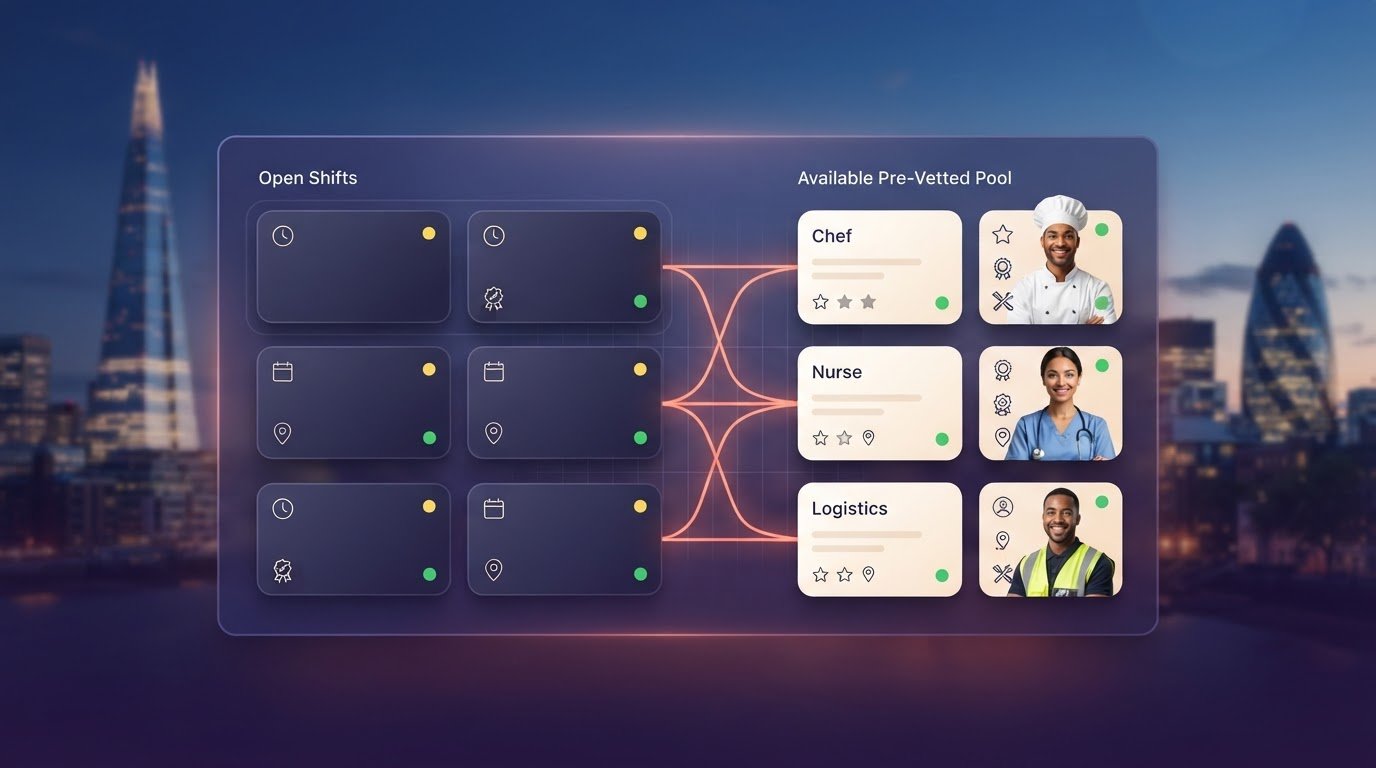
Get Shifts offers Staffing Agency Management Software, including Shift Booking & Rota Management and Open Shift Broadcasting to Eligible Workers. These tools support the day-to-day movement from client booking to finding available workers. If you’re ready to explore how they could fit your agency, contact Get Shifts to learn more. A clear next step can make a busy operation easier to organise.
Frequently Asked Questions
How do staffing agencies manage multiple client accounts effectively?
To manage multiple staffing agency clients effectively, keep account information consistent and easy to distinguish. Use a standard client name and a unique account record, particularly when one organisation books for several sites. Set a clear process for updating contact details and closing completed vacancies. This reduces duplicate records and prevents old requests from being mistaken for current work.
What CRM and staffing software is best for managing multiple agency clients?
The right software should fit your agency’s workflow, not just store contact details. Look for linked client, worker and shift records, with visibility over bookings and approved hours. Get Shifts offers staffing agency management software for shift booking, digital timesheets with client sign-off, client invoicing and payroll exports. These operational workflows can be managed in one platform.
What UK employment laws and regulations apply when supplying temporary and permanent staff to clients?
Applicable rules depend on whether you supply temporary staff or arrange permanent recruitment, as well as the worker’s status and sector. The UK Government says employers must check that workers are allowed to work before employing them.