
Staff Compliance Audit Trail Software: Compare Your Options
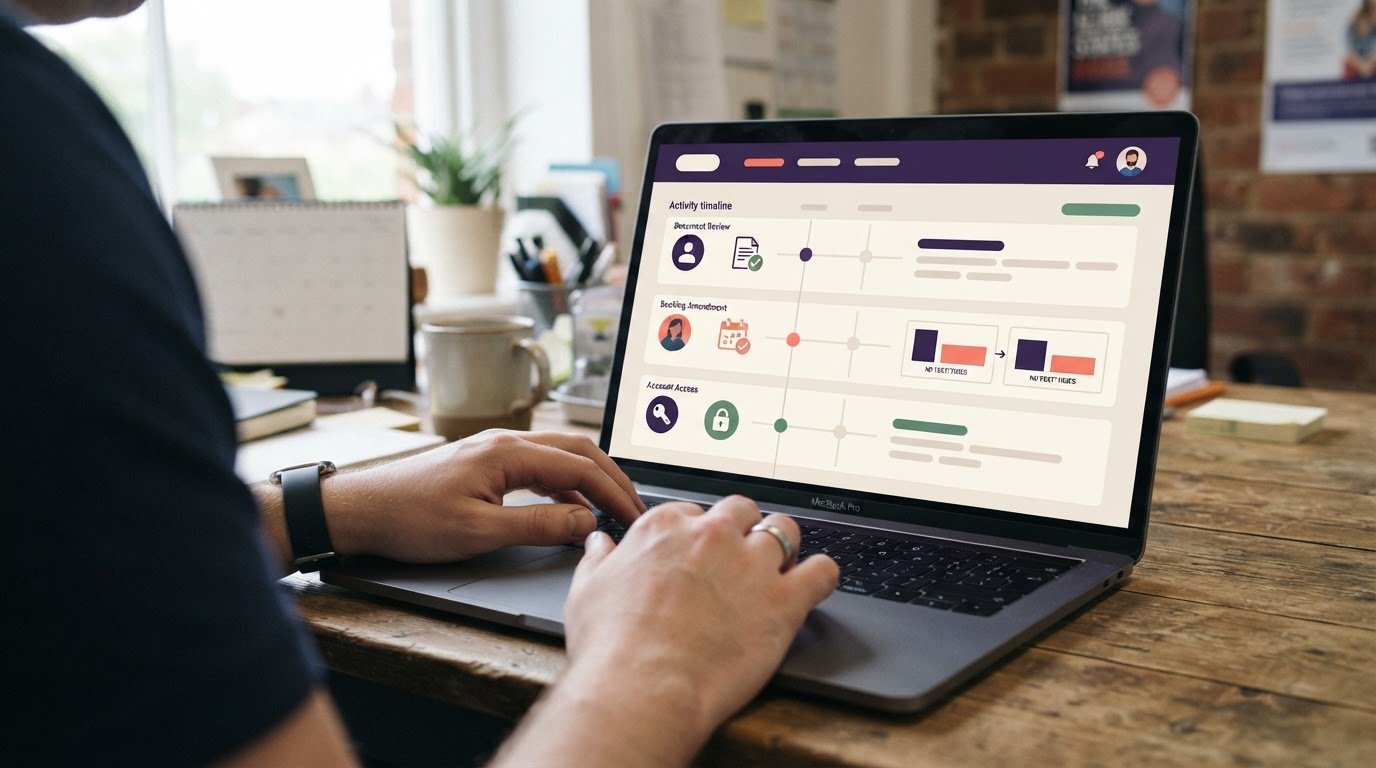
Choosing staff compliance audit trail software means deciding how to record staff actions, support compliance reviews and spot gaps in documentation. The right fit depends on whether you need a basic change history or a connected record of staff documents, bookings and timesheets.
Spreadsheets and paper files are familiar, but depend on people updating them consistently. Software can make activity easier to review by keeping records and changes together. This guide compares practical approaches, from manual tracking to audit features in staffing agency systems.
You’ll see what each approach records, where gaps can remain and which criteria matter to UK temporary-staffing agencies and the care providers booking their workers. Use the comparison to choose a process that fits your operations without creating unnecessary admin.
Key Takeaways
- Learn what a useful activity record can show, including who made a change and when.
- Compare ways to review and export records for compliance reporting.
- See how access and amendment histories can help you trace staff record changes.
- Identify documentation gaps and consider whether a staffing agency system fits your processes.
What Is Audit Trail Software?
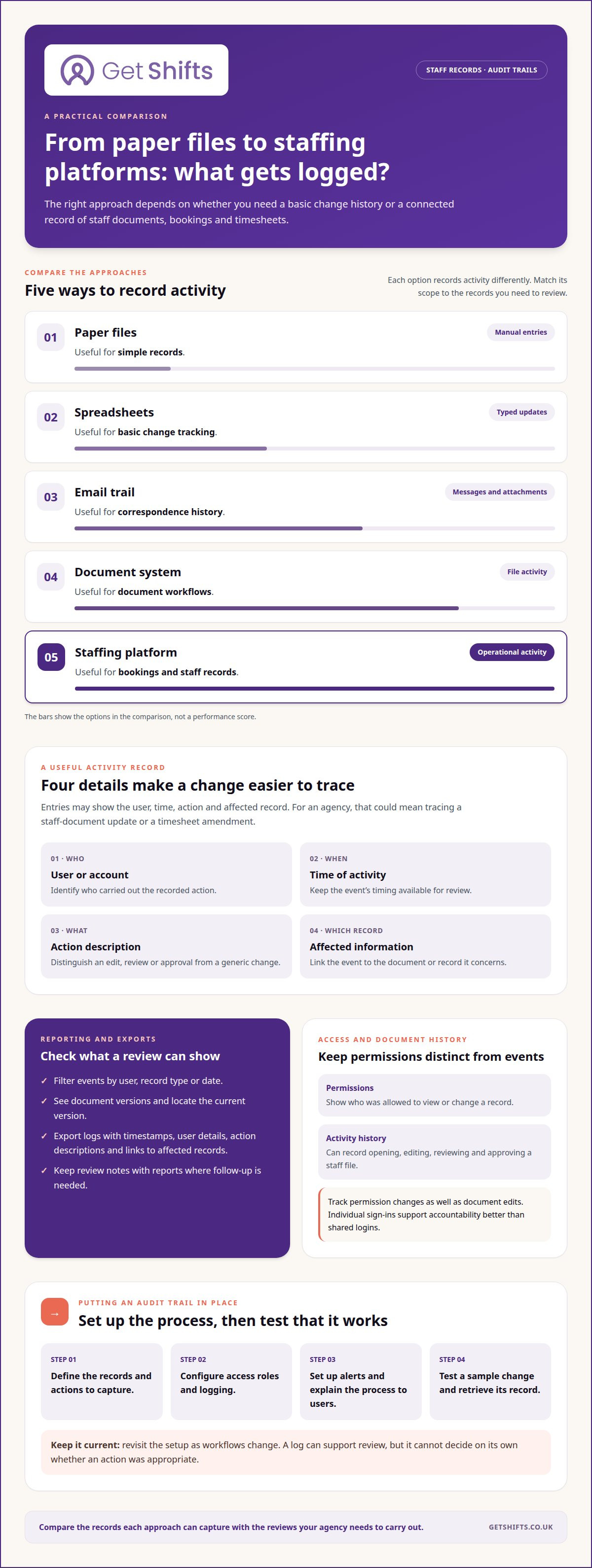
Audit trail software records activity on a digital platform. Entries may show the user, time, action and affected record. For a staffing agency, that could mean tracing a staff-document update or a timesheet amendment.
Which staff compliance audit trail software is right for a UK business? Choose a system that records the changes you need to review and makes them easy to find. Compare logging coverage, reporting, access controls and fit with your processes.
Platforms vary in scope: some track document activity, while others also record bookings, timesheets and wider system events. Alerts can flag unusual access or sensitive changes for review, but a log cannot determine on its own whether an action was appropriate.
Document histories can record uploads, edits and deletions. A corrective action linked to the original event can show what changed and why. Automatic activity logging reduces reliance on staff entering changes manually.
What UK laws and regulations apply to staff records and audit trails? Data protection law and sector-specific requirements may be relevant, depending on the organisation and activity. The Information Commissioner’s Office (ICO) publishes UK data protection guidance. Apply current official guidance to your circumstances.
| Option | Logging | Useful for |
|---|---|---|
| Paper files | Manual entries | Simple records |
| Spreadsheets | Typed updates | Basic change tracking |
| Email trail | Messages and attachments | Correspondence history |
| Document system | File activity | Document workflows |
| Staffing platform | Operational activity | Bookings and staff records |
How much does staff compliance audit trail software cost in the UK? Costs vary according to the system’s scope, users and whether audit logging is part of a wider platform or a separate tool. Compare what each option covers, not just its price.
To implement an audit trail, define which records and actions to capture, then configure access roles and logging. Set up alerts, explain the process to users and test a sample change. Check that you can retrieve its record, then revisit the setup as workflows change.
Compliance reporting and exportable logs
Reports make recorded activity easier to review and share. Compare how systems filter events, show document versions and support your organisation’s risk reviews.
Compliance Reporting and Risk Management
Compliance reports organise activity around a review, such as checking staff-document changes or access to records. Unlike a raw activity log, a report helps focus attention on patterns, exceptions and unresolved items. For example, filter changes by user, record type or date, then follow up on entries needing attention. A consistent review process makes reporting useful for risk management instead of another document to maintain.
Audit Reporting and Data Retention
Audit reporting shows which records exist and how they have changed; a retention policy sets how long your organisation keeps them. These serve different purposes. A report can help locate a document’s current version, while the policy guides whether older records remain available. Set retention periods according to your organisation’s applicable requirements and processes. Clear rules help teams handle archived records consistently and avoid keeping digital documents without a defined purpose.
Exportable Logs and Transparency
Exportable logs let you review or share filtered records outside the platform. Check whether an export preserves timestamps, user details, action descriptions and links to affected records. These fields make the file easier to interpret than a list of isolated events. Consistent terminology also matters: a report should distinguish an edit from an approval, rather than label both as a generic change. Where follow-up is required, retain the report with its review notes.
For staffing operations, compliance reporting tools can bring staff records and operational activity into a clearer review process.
Audit trail reporting should let users review, filter and export logs when needed. GDPR requires data-processing activity logs and consent tracking. The European Union identifies the EU General Data Protection Regulation (GDPR) as a regulatory framework associated with meticulous record-keeping and data governance.
SOX and PCI DSS are also frameworks associated with meticulous record-keeping and data governance. Audit compliance software may need to support SOC 1 reporting.
Recording HR actions, changes and data access
Access records show who viewed or changed staff information and when. Tracking reviews, approvals and permissions supports accountability across a busy agency workflow.
Under UK GDPR, risks can include excessive access to personal data, weak user attribution and unclear retention. The Information Commissioner’s Office (ICO) publishes data protection guidance; apply it to how your organisation handles staff records.
Document Review and Approval History
A document history records events such as opening, editing, reviewing and approving a staff file. It differs from a permissions list: history shows what happened, while permissions show who was allowed to take each action. For example, a manager can trace whether a qualification document was reviewed before a booking decision, then identify the user and action involved.
Keep the sequence clear. A useful record distinguishes an uploaded replacement from an approval, rather than labelling both a generic update. That detail helps you follow the document workflow and see where a review stopped.
Tamper Resistance and Access Governance
Access governance defines which roles can view or change each record; tamper resistance helps protect the activity history from alteration. Permissions control activity, while protected logs preserve evidence of it. Role-based controls can restrict sensitive staff files to people who need access for their work.
Track permission changes as carefully as document edits. If a coordinator gains access to a staff record, the audit history should identify the account and the change. Individual sign-ins support accountability better than shared logins. Alerts for unusual access can prompt a review, but they do not replace clear roles or regular oversight.
For an agency, compare whether a platform records sign-ins, access changes and amendments in one searchable activity history. A timesheet correction, for example, should show the authorised change and its reason. These controls help teams investigate discrepancies while keeping governance tied to real operational actions.
Audit-ready documentation and automated gap identification
Audit-ready records bring documents and their activity histories together for review. A staffing agency worker profile might include a qualification document, its expiry date and a history of updates. A defined checklist helps identify missing items before a client booking, rather than searching through separate folders.
Software can track staff records against criteria you set and flag a missing document or approaching expiry. A compliance booking rule can warn or block a booking if a required record is absent. The flag identifies an exception; a manager still needs to review the document and decide what action is appropriate.
Manual documentation relies on someone updating a spreadsheet or filing a paper copy after each change. A busy coordinator might record a replacement certificate in one place but miss the rota or worker file. Automatic logging captures activity as it happens, making omissions easier to spot. Neither approach replaces a clear document-checking process.
Across a document’s lifecycle, useful records show when it arrived, who reviewed it and whether it was replaced. For example, an agency can follow a missing qualification from upload through review, then record the decision to clear or hold a booking. Consistent statuses help teams report outstanding checks without treating every file as complete.
Before relying on automated tracking, define which documents matter for each role and what counts as complete. Test a sample record with a missing file and another with an updated version. Confirm that the system flags the gap, records follow-up and preserves a clear account of the final decision. This keeps critical checks visible while reducing manual chasing.
Manual audit trails depend on human input and memory, take significant time to maintain, and are prone to gaps, errors and inconsistencies. The page claims automated audit trails can reduce compliance violations from undocumented activities by 73% and improve on-time completion of compliance requirements by 67. It also claims comprehensive audit trails can reduce compliance penalties by 40-60% by demonstrating good-faith efforts. Treat these figures as claims, and assess whether the system’s records support your review and follow-up process.
GetShifts: Staffing Agency Management Software
Staffing agencies often manage worker records, client bookings and candidate applications across separate processes. Reviewing how these tasks fit together can help you identify where information is difficult to keep aligned.
Map how your agency handles worker and client records, shift requests and candidate applications. This gives you a practical basis for assessing whether a software system fits your workflows, without assuming that every agency needs the same tools.
If your current process makes staff records, bookings and candidate activity hard to keep aligned, consider what would make those workflows easier to manage. Contact Get Shifts to discuss your agency’s needs.
Choose a process your team can keep using
Start by deciding which records matter most in your daily operations. Choose a system that fits how your agency manages staff information, bookings and changes, rather than adding another process to maintain. Focus on whether the audit trail supports the decisions your team needs to make.
For agencies looking to bring these workflows together, Get Shifts offers Staffing Agency Management Software, including Shift Booking & Rota Management and Open Shift Broadcasting to Eligible Workers. These tools support the operational work around placing and managing shifts, alongside the record-keeping processes you have considered. The right fit will depend on how your team works and which tasks you want to bring into one platform.
If you’re ready to explore the next step for your agency, start a conversation with Get Shifts. A clearer process can begin with a practical discussion about your needs.
FAQs
What should staff compliance software include?
Choose features based on the decisions your agency makes, not the length of a feature list. Define which staff records matter for each role, who owns each review and what happens when information is incomplete. A care agency may need a different review path for a nurse’s professional documents than for an office worker’s file. Clear ownership makes follow-up practical.
How should staff compliance software integrate with HR, payroll and identity systems?
Map which system holds each field and which updates need to be transferred elsewhere. Worker names and identifiers should match across systems to avoid duplicate records. Decide how to handle conflicting details and who resolves them. For payroll outputs, agree how your receiving system accepts exported data and how your team checks rejected or incomplete entries.
How can employers verify that staff compliance audit trails are accurate and tamper-proof?
Review the controls protecting the log, including who can alter or remove entries and whether those actions are recorded. Compare selected log entries with the original document or transaction, then record and resolve any mismatch. Have an administrator who did not make the original change review the evidence. This provides a practical check without assuming any system is tamper-proof.
Which staff compliance audit trail software is best for UK businesses?
Choose software that records the changes you need and makes them easy to retrieve. Compare logging coverage, reporting, access controls and fit with your processes. Staffing platforms can also track bookings and staff records.