Staffing Agency Admin Workload: Reduce Scheduling Tasks

To reduce staffing agency admin workload, automate repeatable tasks such as matching available workers with open shifts, sending booking updates and collecting timesheets, while keeping suitability and hiring decisions with your team. Calls, texts and spreadsheet updates can quickly take over the day when shifts need cover. This article explains which recruitment and rota tasks software can support, where human judgement matters and how digital tools can make shift changes easier to manage.
Key Takeaways
- Use automation for repeatable candidate updates and interview coordination, while keeping hiring decisions with your team.
- Separate routine admin from tasks that need human judgement, such as assessing suitability for a shift.
- Make shift changes and time-off requests easier to track by moving them out of scattered messages and into a clear process.
- Compare spreadsheets with structured rota tools to see where repeated updates and missed information are creating extra work.
Automating candidate communications and interview scheduling
Automate repeatable recruitment steps: capture applications, record screening details, send updates and coordinate interviews. A recruitment CRM or applicant tracking system can keep candidate records together and show each application’s progress.
Candidate messaging and interview coordination
Candidate messaging tools can send consistent updates at key stages, while interview scheduling tools help coordinate available times. For example, an applicant can receive an acknowledgement, choose an interview slot and get a reminder without a coordinator arranging each message manually. Your team can then focus on interview conversations and decisions. Keep messages clear about the role, shift pattern and next step so candidates know what to expect.
Recruitment CRM and applicant tracking systems
A recruitment CRM helps organise candidate relationships; an applicant tracking system records applications as they move through recruitment. These tools reduce repeated data entry by keeping contact details, application status and interview notes together. Use consistent screening criteria, such as role experience, qualifications and stated availability. Software can flag potential matches for review, but a person should assess suitability and make the hiring decision.
For onboarding, use a defined sequence: collect required details, request references and track outstanding documents. International recruitment can widen the workforce pipeline, while a consistent process helps you compare candidates against the same role criteria. Handle documents consistently and review each candidate’s circumstances individually; use software to organise information while leaving decisions to human judgement.
Reducing interruptions through automation
Automation can reduce interruptions by addressing routine status questions before they reach your team. For example, an applicant can receive an update when their application moves to interview or a reminder to provide a reference. Set clear message triggers and route exceptions, such as a cancelled interview, to a coordinator. This leaves your team more time for decisions that need context.
An internal bank of casual workers can also support workforce stability. Organise profiles by role, experience and availability, then contact suitable people when a client needs cover. A care agency, for example, could share a new shift with available care workers in its bank before beginning a wider recruitment round. This makes existing relationships easier to manage without treating an automated match as a final suitability decision.
Human-led tasks versus automatable tasks
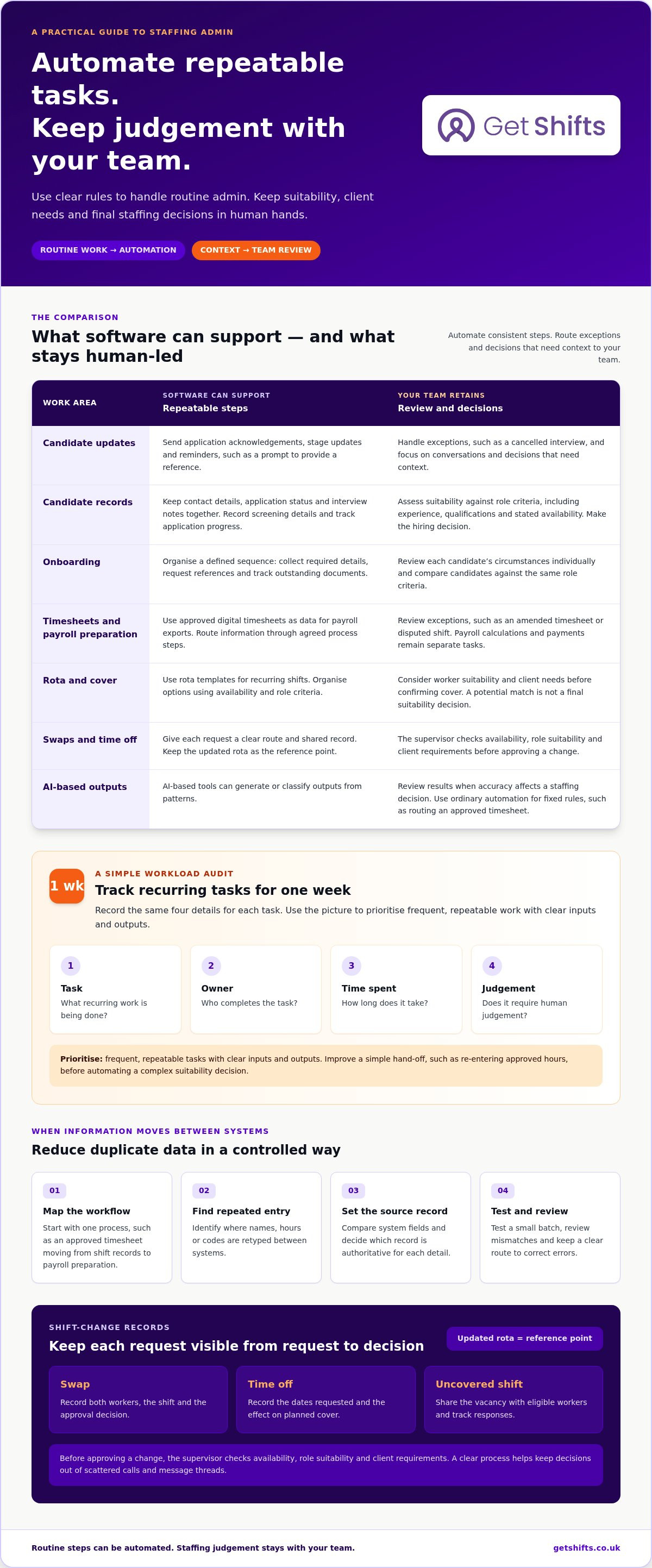
Automate consistent, rule-based tasks, but keep decisions that depend on context with your team. Separating the two can reduce errors without handing over responsibility for judgement.
Automating back-office, payroll and roster tasks
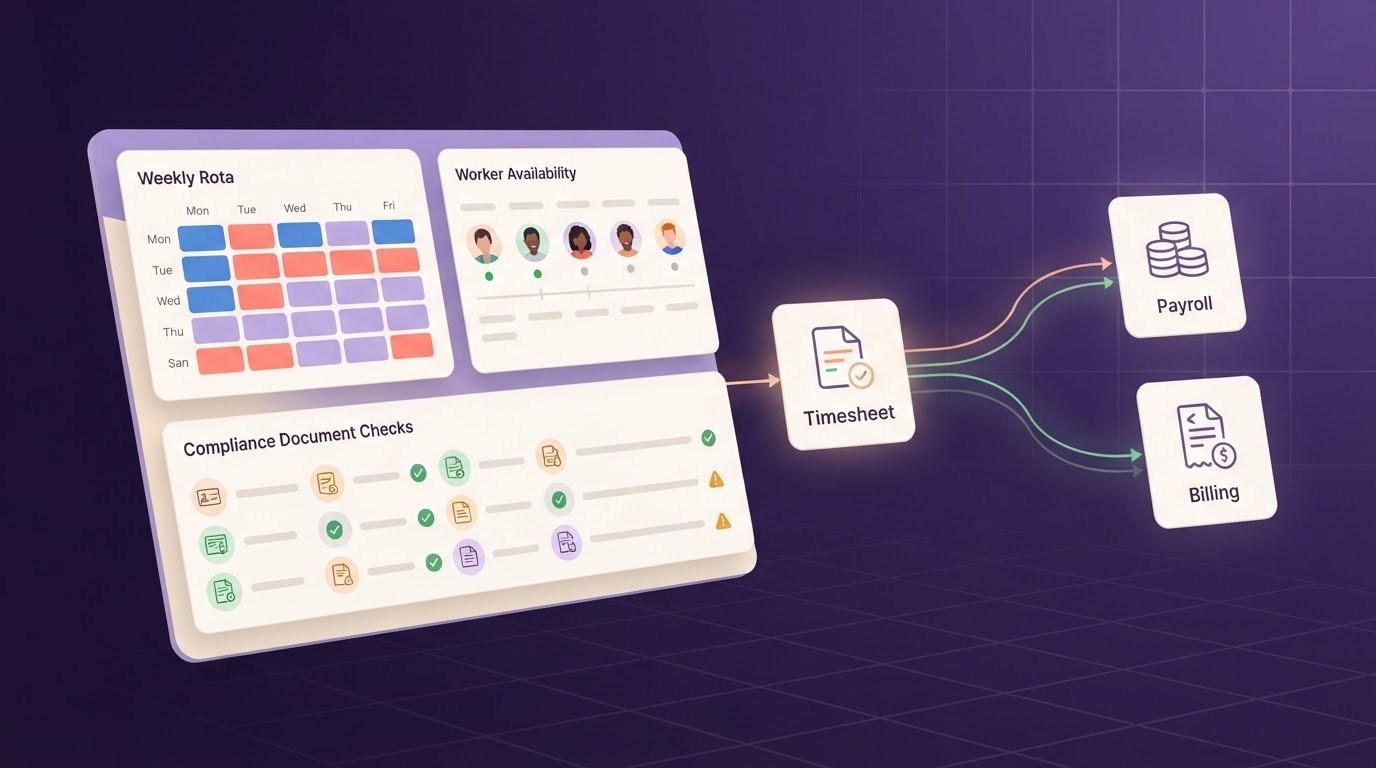
Back-office automation moves routine information through agreed process steps, reducing repeated handling. For example, approved digital timesheets can provide data for payroll exports, while rota templates can organise recurring shifts. Payroll calculations and payments remain separate tasks. Your team should review exceptions, such as an amended timesheet or disputed shift, before information moves on.
Automating a rota means applying clear rules, not making every staffing decision automatically. Availability and role criteria can help organise options; a coordinator should consider suitability and client needs before confirming cover.
Identifying time-intensive admin tasks
The most time-consuming work depends on your agency’s processes. Common tasks to review include copying worker details between records, chasing missing timesheets, updating shift changes and preparing payroll information. Track each recurring task for one week, noting who completes it, how long it takes and whether it requires judgement.
That record can show where automation would remove repetitive steps. For example, if coordinators repeatedly re-enter approved hours, improve that hand-off before trying to automate a complex decision about worker suitability.
Reducing duplicate data through integrations
Map how information moves between systems to find where staff enter the same details twice. Start with one workflow, such as an approved timesheet moving from shift records to payroll preparation, and identify where names, hours or codes are retyped.
Compare the systems’ fields and decide which record is authoritative for each detail. Test a small batch and review mismatches before relying on the process. This can limit duplicate entry while keeping a clear route to correct errors.
Measuring workload and choosing automation
Measure workload by recording the task, owner, time spent and whether human judgement is essential. Use the one-week audit to prioritise frequent, repeatable work with clear inputs and outputs.
Choose ordinary automation for fixed rules, such as routing an approved timesheet. AI-based tools generate or classify outputs from patterns, so people need to review results where accuracy affects a staffing decision. For UK GDPR and data protection, define why candidate information is used, limit access to relevant staff and keep only details needed for recruitment. Follow current ICO guidance on data protection principles when shaping your processes.
Digital shift swaps and time-off requests
Phone calls and message threads can scatter rota changes across several places. A digital request process gives each swap or time-off request a clear route, from worker request to supervisor decision. A shared record can help reduce staffing agency admin workload when several coordinators manage the same rota.
Digital boards, messaging apps and staff apps can share shift information and last-minute changes. For example, a worker who can no longer attend a care shift can submit a request, while the agency records the change against that shift. Supervisors can approve digital swaps and time-off requests in minutes, keeping decisions visible to the people arranging cover.
Set clear steps for each request. The worker identifies the shift and, where appropriate, proposes a replacement. The supervisor checks availability, role suitability and client requirements before approving the change. The updated rota then becomes the reference point, rather than an old text message or printed copy.
- For a swap: record both workers, the shift and the approval decision.
- For time off: record the dates requested and the effect on planned cover.
- For an uncovered shift: share the vacancy with eligible workers and track responses.
This matters when short-notice absences put pressure on the team. An agency arranging cover around the clock needs clear handovers between coordinators; a request left in one person’s inbox can be missed. A shared digital record helps the next person see whether the shift is still open, a swap is awaiting approval or cover has been confirmed.
Keep human approval in the process. A worker’s availability alone does not establish that they suit a particular client or shift. For instance, a proposed swap in a nursing home still needs review against the role and the client’s booking requirements. The digital workflow manages the request and record; the supervisor applies context.
Review cancelled shifts and declined requests alongside open vacancies. If the same shift pattern repeatedly creates cover pressure, adjust the rota template or discuss the booking pattern with the client. To reduce staffing agency admin workload further, use those records to identify recurring pinch points and refine the process. A consistent record makes that conversation clearer and reduces time spent reconstructing changes from calls and messages.
Manual spreadsheets versus structured scheduling software
A spreadsheet can suit a small rota, but repeated copying creates extra work as shifts, workers and client requests change. A structured system keeps shift information in a consistent workflow, making updates easier to follow.
In a spreadsheet, a coordinator may record a care shift, check worker availability in another tab, then message the client separately. If someone changes a shift, each copy needs updating. A missed edit can leave the rota, worker message and client record out of step, creating extra checks before anyone can confirm cover.
Structured scheduling software brings related rota tasks into a defined workflow. For example, a client booking can create a shift record, after which the agency can review suitable workers against availability and skills. The key difference is not simply digital versus paper. It is whether each change has a clear place and next action.
| Task | Spreadsheet approach | Structured approach |
|---|---|---|
| New booking | Copy details into a rota row and separate message | Record the booking in a shift workflow |
| Shift change | Find and amend each affected copy | Update the shift record and share the change |
| Worker suitability | Search notes or separate lists | Review availability, role and skills together |
Spreadsheets can still help with one-off analysis or a simple working list. They become harder to manage when several coordinators edit separate versions, or when bookings, changes and confirmations need tracking. Before moving to another process, map how a booking reaches the rota, how changes are recorded and who confirms the final version.
Then test the structured process with a familiar shift type, such as a repeat office or cleaning booking. Check that the right details move through each step and that staff know where to find the current rota. For a closer look at structured shift management software, explore how it can organise bookings and rota updates.
Get Shifts: Staffing Agency Management Software
Get Shifts brings shift booking and rota management into one workflow for staffing agencies. It can help when coordinators handle bookings, update rotas and contact workers across separate tools.
For an open shift, you can broadcast the opportunity to eligible workers instead of contacting each person individually. Workers can use the iOS or Android mobile app to view and respond to shifts, while your team remains responsible for confirming suitable cover.
This is a practical fit when repeated rota administration is taking time away from client and worker coordination. It supports agency operations; it does not supply temporary staff. If you’d like to discuss how it could fit your processes, contact Get Shifts.
Make your next improvement a focused one
Choose one recurring admin task that interrupts the working day, then define what a smoother process should look like. For example, map how a client booking becomes a confirmed rota entry and note where a coordinator has to re-enter information or chase an update. This gives your team a practical starting point instead of trying to change every process at once.
To reduce staffing agency admin workload, keep people responsible for decisions that depend on context, while simplifying the routine steps around them. Review the change with coordinators and workers, then adjust the process where handovers still create friction. A measured, focused improvement can make the next operational change easier to plan.
If you’re ready to explore a better fit for your agency’s workflow, contact Get Shifts. A clearer process is within reach.
Frequently Asked Questions
How Does Modern Scheduling Software Close Coverage Gaps and Reduce Attrition?
Modern rota tools can reduce uncovered shifts by making vacancies visible and sharing openings with eligible workers. Coordinators can track responses and follow up where cover remains open. Clearer rota visibility and a chance to choose suitable shifts may support a more manageable working pattern. Software cannot guarantee retention: client demand, workload and worker preferences still matter.
How can staffing agencies automate timesheets, rota management and shift confirmations?
Use structured shift records to connect client bookings, rota changes, worker responses and timesheet approval. For example, record the shift details after a client requests cover, notify eligible staff and confirm who accepts. Digital timesheets with client sign-off can reduce separate paper chasing, while payroll exports provide approved earnings data for processing separately.
How can AI reduce administrative workload for recruitment agencies, and what are the risks?
AI may help sort incoming enquiries or draft routine messages, leaving coordinators to handle unusual cases. Its output can misread availability, overlook relevant experience or produce an unsuitable message, especially when records are incomplete. Keep a person responsible for hiring and shift suitability decisions. Limit information shared with tools, review outputs before sending, and follow current ICO guidance on data handling.