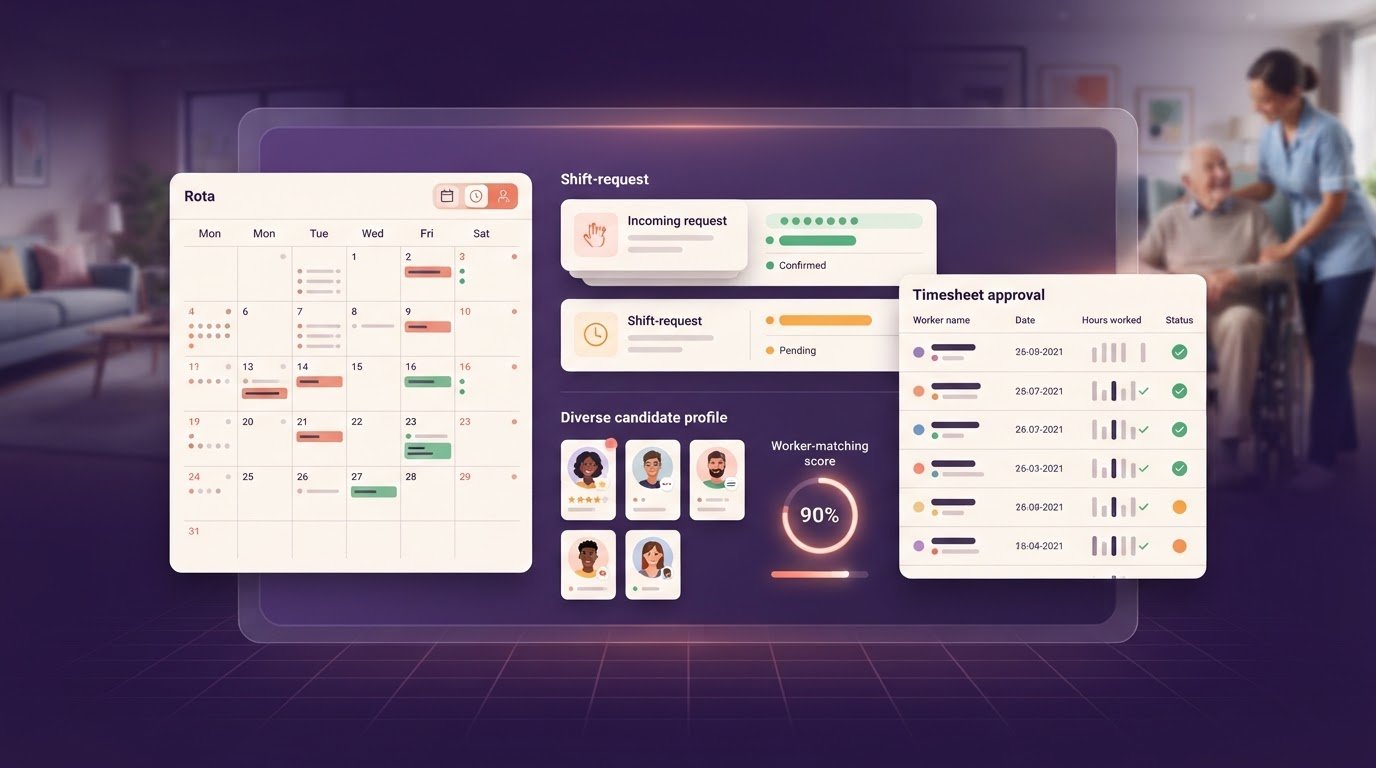
Staffing agency software setup and data import for agencies

The time needed for staffing agency software setup and data import depends on the volume and condition of your data, along with the workflows you need to configure. Define the scope early so you can plan data preparation, staff training and a controlled move to live bookings.
Moving candidate and client records in bulk calls for careful preparation. This guide explains how to organise CSV files, plan onboarding and document capture, and identify decisions that may affect your rollout. A clear process helps you manage the work without losing sight of day-to-day agency operations.
Key Takeaways
- Test an initial batch of 50 candidate records before importing the rest, so you can spot field or formatting problems early.
- Keep worker skills, availability and compliance details together to make booking decisions easier to manage.
- Allow time for data migration, team training and a staged go-live; the amount and condition of your data will affect the pace.
- Get Shifts brings shift booking and rota management together with open shift broadcasting to eligible workers and a mobile app.
CSV imports for candidates, clients, contacts and vacancies
CSV import transfers structured spreadsheet data into a staffing agency platform. Separate candidates, clients, contacts and vacancies into distinct record types, then map each file to the relevant fields before importing.
Preparing candidate and client data
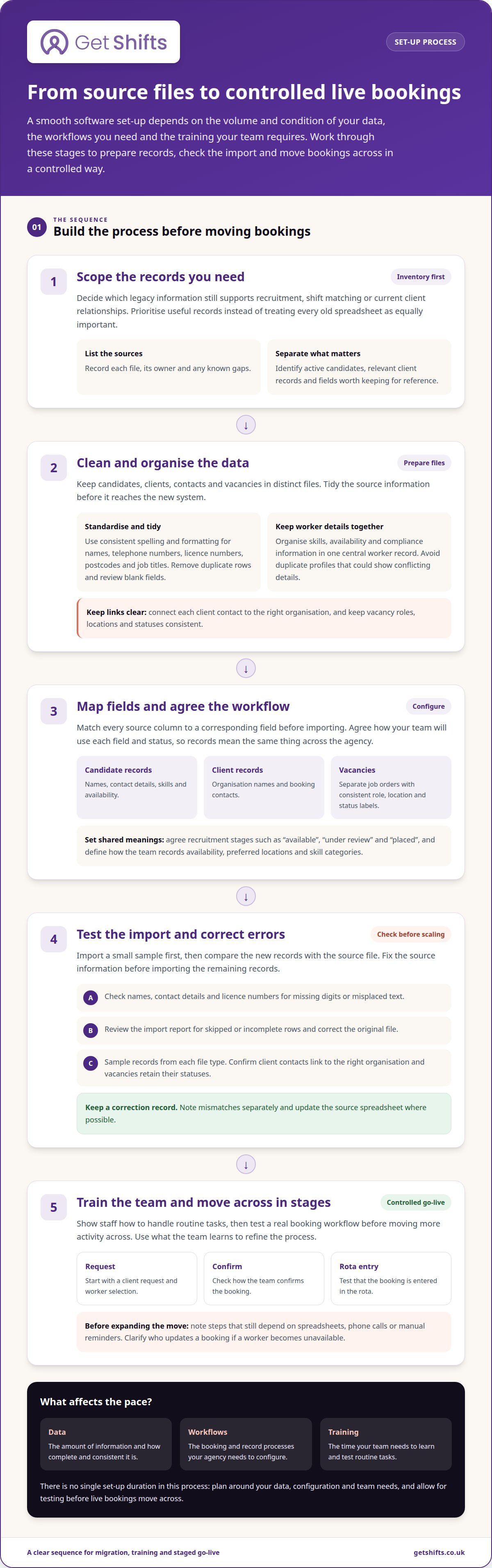
Clean each spreadsheet before importing: standardise names, remove duplicate rows and review blank fields. Keep a candidate’s telephone number in one column, and link each client contact to the correct organisation. Check licence numbers, postcodes and job titles for consistent spelling and formatting. Import a sample first, then compare key fields with the source file before continuing.
Planning legacy record migration
Decide which older candidate records are still useful for recruitment, shift matching or current client relationships. Separate active candidates from records that no longer help your team fill shifts, and identify the fields worth retaining for reference. List the source files, their owners and any known gaps. This inventory helps you prioritise valuable records instead of treating every old spreadsheet as equally important.
Mapping CSV fields and checking the import
Before importing, map every source column to a corresponding field in the new platform. Candidate records may include names, contact details, skills and availability; client records may include organisation names and booking contacts. Keep vacancies or job orders in a separate file, using consistent role, location and status labels. Standard terms, such as “care assistant”, make searching and matching easier.
Import a small test file and compare its records with the source. Check names, contact details and licence numbers for missing digits or misplaced text. Review the import report for skipped or incomplete rows, then correct the source file before moving on. Sampling helps catch formatting errors before they affect a larger batch.
Keeping applicant tracking and candidate records useful
Applicant tracking organises candidate records as people progress through recruitment. Keep each record linked to clear details, such as role interest, application status and interview outcome. Agree on stage names before importing, so “available”, “under review” and “placed” have consistent meanings across the team. Consistent stages make it easier to see recruitment progress and review useful data.
After importing, sample records from each file type. Confirm that client contacts are linked to the right organisation and that vacancies retain their statuses. Record corrections separately, then update the source spreadsheet where possible. This creates a reference for resolving mismatches and keeping records accurate.
How long does it take to set up staffing agency software?
Worker records shape the setup because skills, availability and compliance details need to work together. A clear onboarding workflow gives recruiters one place to review who may suit a shift and which information needs attention.
Build a central worker record
Keep each worker’s skills, availability and compliance information in one central record. This lets coordinators compare a care worker’s experience with a client’s shift requirements without searching separate spreadsheets and email threads.
Agree on the meaning of each field before staff start updating records. For example, define how recruiters should record an unavailable day, a preferred location or a skill category. Consistent labels make filtering and matching more useful throughout the recruitment process.
Keep the workflow straightforward. A coordinator updating availability should know where to enter it, and a recruiter reviewing a candidate should see the same current record. Avoid duplicate profiles, which can show conflicting skills or availability.
Record onboarding and compliance documents
Onboarding can capture right-to-work details and documents when a worker joins, rather than leaving the agency to chase them before each shift. The agency records the document details; software can organise the records, but it does not carry out the check.
Store compliance documents and expiry dates against the relevant worker. Clear records help coordinators see what needs attention before considering a booking. Keep the document type, date and status separate so recruiters can distinguish an expired item from a current one.
Map your existing workflow before transferring it into software. Record who receives documents, who updates their status and who follows up when information needs attention. Clear responsibilities make handovers easier to manage than a process split across inboxes and folders.
Configure records for each country
If your agency operates in multiple countries, separate country-specific document categories and status labels. Shared fields can cause confusion when teams use different document names or processes. Make the relevant country clear on each worker record.
For example, a UK team may record right-to-work document details, while a team elsewhere uses different document categories. Set up access and workflows around the agency’s operating locations rather than assuming one template will suit every team. Check current official guidance for each country, and don’t treat software configuration as legal advice.
Build data protection into the workflow. Give staff access to the records needed for their roles, and avoid collecting fields without a clear recruitment or booking purpose. A documented process for correcting worker details helps maintain accurate records and reduces reliance on manual notes.
Estimated implementation timelines
Implementation time depends on data quality, configuration and the training your team needs. Plan clear stages: prepare records, configure workflows, train staff and move bookings across in a controlled way. A staffing agency software setup and data import plan should include time to test real rota tasks.
What happens during the first week?
Start by configuring the account and agreeing how your agency handles bookings. Prepare candidate, client and job-order records for migration, then confirm that imported information appears in the correct fields.
Next, show staff how to handle routine tasks. Test a client request from worker selection through confirmation and rota entry. Ask coordinators to note any step that still depends on a spreadsheet, phone call or manual reminder.
Use what you learn to refine the workflow before moving more activity across. For example, clarify who updates a booking if a worker becomes unavailable. Assigning an owner to each task helps prevent conflicting changes during the transition.
What can extend the rollout?
Data that needs extensive cleaning takes longer to prepare and validate. Differences between care, security or hospitality processes can also add configuration and training work. Agree on shared terms for shift status, worker availability and client requests before staff use the new workflow.
Review recruitment processes separately. Map how candidates move from sourcing to application and interview, including the job boards your agency uses. Prioritise steps needed for current work; importing historic records or adding optional processes can make testing more complicated.
Both the size and condition of your records affect migration effort. A small, organised candidate database is a different task from several spreadsheets with overlapping fields. List your files, workflows and training needs before agreeing on a rollout plan.
How should you go live?
A staged go-live lets your team enter new job orders into the system while checking older records in parallel. Compare booking details during the transition and log any gaps for follow-up. This helps keep rota management moving as staff learn the new process.
After launch, review how your team uses the system. Look for repeated corrections, unused steps and questions that point to unclear workflows. Ask coordinators which parts of rota planning still depend on spreadsheets or manual messages.
Treat staffing agency software setup and data import as the beginning of ongoing process improvement, not a one-off cutover. Prioritise practical changes, such as clarifying an onboarding handover. If you’re planning a rollout, discuss your implementation plan.
Get Shifts: Staffing Agency Management Software
Get Shifts brings shift booking and rota management together for temporary staffing agencies. It can help when spreadsheet updates and scattered messages make bookings harder to track.
With Shift Booking & Rota Management, you can organise client requirements and worker cover. Open Shift Broadcasting sends available shifts to eligible workers, and the worker mobile app for iOS and Android lets staff view and respond to opportunities.
Get Shifts suits agencies coordinating temporary workers across multiple clients and looking to bring booking and rota activity into one process. The platform provides software for agencies, not temporary staff or jobs for individual applicants. To explore how it could fit your workflow, contact Get Shifts to discuss the software.
Make the new workflow part of daily practice
After launch, assign someone to keep processes clear. They can gather feedback from coordinators, spot recurring data corrections and decide which workflow to improve next. Regular reviews help the system reflect how your agency handles bookings instead of preserving old spreadsheet habits by default.
Approach staffing agency software setup and data import as the start of an operational change, not just a technical handover. Keep the next improvement manageable: clarify a handover, tidy a record process or help a team adopt a consistent way of working. Deliberate adjustments can make the system easier to use during busy shifts.
If you’re ready to plan the next step, contact Get Shifts about setup. A clearer working process can start with one practical conversation.
Frequently Asked Questions
Can I migrate data from spreadsheets directly?
Yes, you can export spreadsheet data as CSV and import structured records. Before exporting, remove decorative title rows and keep one record per row. A workbook with separate tabs usually needs a separate CSV export for each data type. Keep the original workbook unchanged as a reference, then compare imported records against it before using them for agency work.
What’s the biggest mistake agencies make during setup?
A common pitfall is allowing both the old spreadsheet and the new platform to serve as the official record. If one coordinator changes a worker’s details in one place while another updates the other, the agency can end up with conflicting information. Decide which system is authoritative at each stage, tell staff when that changes and avoid maintaining parallel records indefinitely.
How do I set up staffing agency software step by step?
First, decide how a booking moves through your agency, from client request to worker confirmation. Assign an owner to each key record type and agree who can update it. Then prepare and import the source data, and have staff test real tasks before moving routine work across. Write down agreed terms, such as booking statuses, so everyone uses them consistently.
What data can be imported into staffing agency software?
Imports commonly cover structured agency records such as candidate, client, contact and vacancy details. Consider how records relate: a contact should link to the right client, and a vacancy should retain its status. Document files and free-text notes may need handling separate from spreadsheet fields, so distinguish them from data that fits neatly into rows and columns.
How do I migrate candidate and client data from spreadsheets or legacy systems?
Identify the source system for each record type, especially when teams maintain separate files. Export the relevant information, align fields with the destination and decide how to handle closed vacancies or inactive relationships. Keep a migration log of what moved, what was excluded and which corrections were made. It gives your team a useful reference when questions arise.
What data formats and import templates do staffing software providers support?
CSV is a practical format for transferring structured spreadsheet records, but accepted formats and templates vary by platform. Check the instructions for the specific import task before converting files. Match each source column to its destination field and keep a copy of the mapping. Don’t assume a workbook or its attachments will transfer as a single complete file.